
AI coding tools are changing how developers build software. Claude Code showed that AI can help with more than just small code suggestions. It can understand full projects, make changes across many files, and help teams manage bigger updates.
But Claude Code is not the only option anymore. Today, developers are also using tools like GitHub Copilot, Aider, Cline, Replit, Amazon Q Developer, and Gemini CLI. Each one works a little differently. Some are built for the terminal. Some work inside your editor. Others are designed for cloud or enterprise environments.
This guide outlines the top Claude Code alternatives, helping your team choose the right tool based on how you actually work.
If you plan to implement AI coding tools seriously (not just test them), then it is important to understand workflow fit, security, scalability, and long-term impact. These are the same areas where Dextralabs helps companies design and implement strong, production-ready AI systems.
What Is Claude Code?
Claude Code is an AI coding assistant that works in the terminal (also called the command line). Instead of clicking around in a visual editor, you type commands and chat with the AI directly in your shell.
This matters because many developers already spend a lot of time in the terminal. So instead of just switching to a separate AI tool, they can stay where they are comfortable.
Claude Code can:
- Generate new code
- Change existing code
- Refactor multiple files
- Explain how parts of your project work
- Show you clear diffs (changes) before you commit
The big difference is that it understands more of your project at once. It doesn’t just look at one file. It can look at how files connect to each other. That makes it better at handling larger updates.
However, it is not perfect for everyone. Some developers prefer AI inside their editor. Others want open-source tools. Some need strong cloud integration. That’s why many people look for Claude Code alternatives. AI coding tools have moved well beyond autocomplete. To see how this shift started, explore how OpenAI Codex redefined what coding agents can actually do.
Now let’s look at the most popular Claude Code alternatives:
1. Amazon Q Developer (AWS-Focused AI)
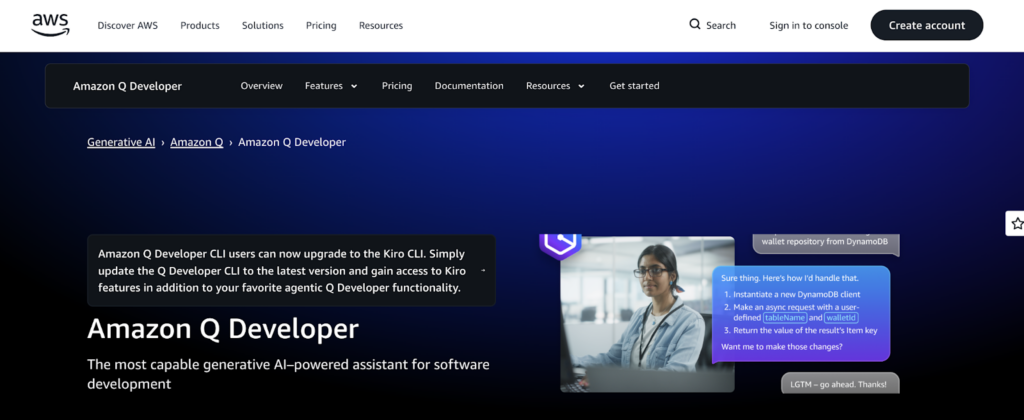
Amazon Q Developer is designed for AWS users. This tool connects your code with AWS infrastructure.
For example, it can:
- Suggest cloud configuration updates
- Help upgrade Java versions
- Connect code to CloudFormation or CDK
- Show how changes affect deployment
It also keeps logs of AI-generated changes for review.
Best For
- Enterprise teams
- Companies deeply using AWS
- Java and .NET projects
If your company runs everything on AWS, Amazon Q Developer may fit better than Claude Code.
2. GitHub Copilot (Editor-Based AI)

GitHub Copilot is one of the most popular AI coding tools in the world. Unlike Claude Code, Copilot works inside your editor. As you type, it suggests code in real time.
It can:
- Complete lines
- Write full functions
- Suggest tests
- Help with many languages
However, Copilot focuses on inline suggestions. It does not manage complex multi-file workflows on its own.
Best For
- Developers who want AI directly in their IDE
- Teams already using GitHub
- Fast, real-time code suggestions
If you prefer staying in your editor instead of the terminal, Copilot may feel more natural than Claude Code.
3. Cline (Open-Source AI Agent)

Cline is another terminal-based AI coding assistant. Cline is designed for developers who want more control and transparency. One major difference is that Cline can:
- Use multiple AI models (including local ones)
- Read shell output directly
- Work on live files without snapshots
This makes it strong for debugging and multi-step changes.
Why It Stands Out
- Model flexibility
- Open architecture
- Runtime-aware edits
- Works directly in your working directory
If you like terminal-based AI but want deeper customization than Claude Code, Cline is worth considering.
4. Replit (Cloud-Based AI Development)

Replit is different from most tools on this list. It is a full cloud development platform. That means:
- Your code runs in the browser
- No local setup is required
- You can write, run, and deploy in one place
Replit includes an AI agent that can:
- Generate multi-file projects
- Test code
- Preview apps instantly
It also supports multiplayer collaboration, so multiple people can code together in real time.
Best For
- Beginners
- Remote teams
- Startups
- Quick prototyping
If you want everything in one browser-based environment, Replit is very different from Claude Code but very powerful.
5. Aider (Terminal-Based and Git-Friendly)
Aider is a terminal AI coding tool built for developers who use Git heavily.

Aider works inside your Git repository. When it makes changes, it shows them as staged diffs. That means you can clearly see what changed before committing.
This is helpful because AI sometimes makes unexpected edits. With Aider, nothing is hidden.
Why Developers Like Aider
- It works in the terminal
- It shows clean Git diffs
- It helps with multi-file changes
- It builds a “map” of your repo to understand structure
- It is open-source
Aider is especially popular in open-source projects where transparency matters.
If you like Claude Code’s terminal style but want something open-source, Aider is a strong alternative. If Aider’s Git-aware approach appeals to you, it fits within a broader category of terminal-first tools built for real shipping velocity — see how it compares among the top agentic CLI tools developers are using in production.
6. Gemini CLI (Google’s Terminal AI)

Gemini CLI is Google’s terminal-based AI assistant. Like Claude Code, it works in the terminal. But it connects strongly with Google’s ecosystem and Google Cloud.
Gemini CLI allows you to:
- Pass specific files into prompts
- Work with command-line output
- Avoid heavy indexing
It feels lightweight and direct.
Best For
- DevOps engineers
- Backend developers
- Google Cloud users
If your team already uses Google Cloud services, Gemini CLI can feel more integrated than general AI coding tools. Teams evaluating Gemini CLI alongside Claude-based workflows may also benefit from understanding how the Claude API fits into a broader application architecture.
What are the benefits of Claude Code Alternatives?
Relying on just one AI coding tool can feel limiting. Every team works differently, so it makes sense to choose a tool that actually fits your workflow instead of adjusting your workflow to fit the tool.
That’s where Claude Code alternatives become valuable. As AI programming tools continue to grow and improve, teams now have more choices and more flexibility.
Here’s why that matters.
1. You Can Match the Tool to How You Work
Some developers prefer working in the terminal. Others spend most of their time inside an IDE like VS Code or JetBrains.
With Claude Code alternatives, you can choose:
- A terminal-based AI coding assistant
- A CLI tool that works directly with Git
- An editor-based AI that suggests code as you type
This flexibility helps teams stay productive because they don’t have to completely change their daily habits.
2. More Model and Deployment Choices
Many alternatives support multiple AI models. That means you’re not locked into a single provider.
Some tools allow:
- Cloud-hosted AI models
- Self-hosted models
- Even local models running on your own machine
This gives teams more control over cost, performance, and data privacy. It also helps organizations that want open-source options or tighter infrastructure control.
3. Productivity Beyond Simple Code Completion
Modern AI coding tools do more than finish your sentences.
They can help with:
- Refactoring multiple files
- Generating test cases
- Updating related parts of a project automatically
- Understanding project-wide context
Instead of manually coordinating every step, developers can focus on reviewing and guiding changes. That saves time while still keeping control.
4. Better Git and Codebase Awareness
Some AI tools deeply understand your repository structure. They can see how files connect and how branches differ.
This matters because:
- Changes can be shown as diffs before committing
- Multi-file updates are easier to manage
- Code reviews become safer and clearer
For production teams, reviewable, Git-aware changes are extremely important.
5. Stronger Fit for Security and Team Needs
Not every company has the same security requirements. Some teams need:
- Open-source tools
- Self-hosted AI models
- Full data control
Other companies may prefer enterprise tools with built-in compliance, access controls, and usage monitoring.
Claude Code alternatives give organizations the freedom to choose what matches their policies. For organizations with stricter compliance requirements, the governance architecture behind Claude itself is worth understanding before selecting any tool in this ecosystem.
How to Choose the Right Claude Code Alternative?
Prior to deciding on a tool, think about how you work.
1. Do You Work Mostly in the Terminal or an Editor?
- If you live in the terminal, you may prefer a CLI (command-line interface) AI tool.
- If you mostly work in VS Code, JetBrains, or another IDE, then opting for an editor-based AI assistant is recommended.
Consider your daily workflow; it is so much more important than all the features.
2. Do You Want Full Control or Automation?
Some AI tools:
- Suggest code line by line
- Wait for you to accept changes
Others:
- Plan tasks
- Make multi-file changes
- Act more like autonomous agents
If you like reviewing everything carefully, choose a tool that shows clear diffs.
If you want more automation, look for agent-style tools.
3. Do You Care About Model Flexibility?
Some platforms let you switch between different AI models. This can help with:
- Cost control
- Performance tuning
- Avoiding vendor lock-in
Others only use one provider.
4. Does Your Team Use AWS or Google Cloud?
If your company relies heavily on AWS or Google Cloud, a cloud-integrated AI assistant might give better results than a general tool.
Final Thoughts on Claude Code Alternatives
AI coding tools are growing fast. Claude Code helped show that AI can work at the whole-project level, not just line by line. But different teams need different things.
Some want:
- Open-source flexibility
- Full Git transparency
- Multi-model control
Others want:
- Simple autocomplete
- Cloud integration
- Real-time collaboration
- Enterprise security
There is no single best tool.
- If you love the terminal and structured diffs, tools like Aider or Cline may work well.
- If you want real-time suggestions in your editor, GitHub Copilot is a strong choice.
- If you prefer cloud development and collaboration, Replit might be better.
- If your company runs on AWS or Google Cloud, Amazon Q Developer or Gemini CLI may fit naturally.
Ultimately, the most suitable alternative to Claude Code will depend on your workflows, team size, cloud provider, and how much control you want over AI-generated changes.
AI coding assistants are no longer just about writing faster code. They are about shaping how software is built. The ongoing evolution of the ecosystem means that it is only wise for you to try several options prior to selecting a single one to use long-term.