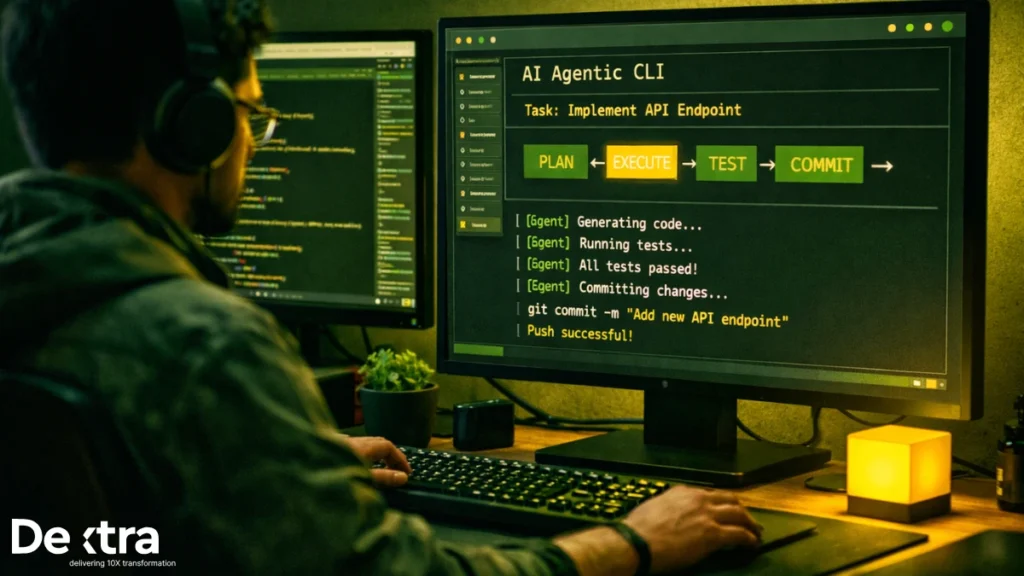
According to Stack Overflow’s 2025 Developer Survey, 84% of developers are using or planning to use AI tools in their development process, up from 76% the previous year (Stack Overflow). But here’s the paradox: while 78% of developers believe AI coding tools improve their productivity (Second Talent Research), research from METR found that AI tools actually increased completion time by 19% when experienced developers used them on complex open-source tasks (arXiv).
The gap between promise and reality comes down to tooling. Not all AI coding assistants work the same way, and the difference between tools that help you ship faster versus those that slow you down often comes down to how they’re architected.
At Dextra Labs, we help enterprises and SMEs across the UAE, USA, and Singapore implement AI-powered development workflows. From our work deploying these systems in production, we’ve seen which tools actually deliver and which ones create more problems than they solve.
This guide covers the top 5 agentic coding CLI tools that developers are using to ship real code in 2026, based on hands-on evaluation and original research.
What Makes a CLI Tool “Agentic”?
Before diving into specific tools, let’s define what we mean by “agentic” coding.
Traditional AI coding assistants like GitHub Copilot work as autocomplete; they suggest the next line or function based on what you’re typing. They’re reactive, not proactive.
Agentic coding tools go further:
- They plan multi-step workflows autonomously
- They read your codebase to understand context
- They execute commands (run tests, install dependencies, commit code)
- They iterate on failures without constant human guidance
- They maintain state across sessions
According to JetBrains’ 2025 State of Developer Ecosystem survey, 62% of developers rely on at least one AI coding assistant, agent, or code editor, and 85% regularly use AI tools for coding. The shift toward agentic workflows is real but choosing the right tool matters.
The Reality Check: What Research Shows
Before recommending tools, it’s important to understand the current limitations. Research from Bain & Company found that teams using AI assistants see 10% to 15% productivity boosts, but often the time saved isn’t redirected toward higher-value work (Bain). So even modest gains don’t always translate into positive returns.
Additionally, Stack Overflow’s survey revealed that positive sentiment for AI tools has decreased in 2025: 70%+ in 2023 and 2024 to just 60% this year (Stack Overflow). Developers are becoming more skeptical as they encounter real-world limitations.
The tools that work are those that:
- Generate code quickly but with high accuracy
- Maintain context across large codebases
- Integrate into existing workflows without friction
- Provide transparency about what they’re doing
Let’s look at the tools that meet these criteria.
1. Cursor: The Production-Ready IDE Integration
What It Is: Cursor is a VS Code fork specifically built for AI-assisted development. It combines autocomplete, inline editing, and agentic workflows through its Composer mode.
Key Features
Composer Mode: Cursor’s agentic feature lets you describe what you want to build, and it generates code across multiple files while maintaining project context.
Inline Edits: Press Cmd/Ctrl+K to edit specific sections with natural language prompts.
Codebase Indexing: Cursor scans your entire project to understand structure, dependencies, and patterns.
Multi-Model Support: Primarily uses Claude 3.5/3.7 Sonnet and GPT-4, with the ability to switch based on task complexity.
Performance
According to research from MIT Technology Review, developers using tools like Cursor and Claude complete tasks 20% to 55% faster in controlled studies (MIT Tech Review). However, Stack Overflow’s survey found that 70% of agent users agree that agents have reduced the time spent on specific development tasks, though benefits are primarily individual rather than team-wide (Stack Overflow).
When to Use Cursor
Best for:
- Solo developers working on full-stack projects
- Teams already using VS Code who want seamless AI integration
- Projects requiring fast prototyping with good context awareness
Limitations:
- $20/month for Pro features ($40/user/month for teams)
- Works best on smaller to medium codebases (large repos can slow context loading)
- Composer mode sometimes struggles with complex architectural changes
2. Windsurf: Fast, Polished, and Budget-Friendly
What It Is: Windsurf is a newer VS Code-based IDE focused on speed and user experience. Its Cascade feature pioneered the agentic mode that other tools have since adopted.
Key Features
Cascade Mode: Windsurf’s agent can automatically fill context, generate code across files, and run terminal commands without explicit file selection.
Command (Cmd/Ctrl+I): Invoke AI directly in code or terminal for inline edits and CLI command generation.
Clean UI: Windsurf emphasizes simplicity—fewer buttons, cleaner diffs, more intuitive workflows.
Semantic Indexing: Builds a semantic map of your codebase to provide more contextually accurate suggestions.
Performance
Stack Overflow data shows that among developers building agents, Ollama (51%) and LangChain (33%) are the most-used frameworks for orchestration (Stack Overflow), and Windsurf integrates well with these tools for custom workflows.
When to Use Windsurf
Best for:
- Developers who want a beginner-friendly, polished experience
- Teams on a budget ($15/month individual, $30/month team vs. Cursor’s $20/$40)
- Projects requiring strong semantic understanding across multiple files
Limitations:
- Slightly slower than Cursor for large file operations
- Smaller community and ecosystem compared to Cursor
- Some advanced features still catching up to competitors
3. Cline: Open-Source, Transparent, and Extensible
What It Is: Cline (formerly Claude Dev) is an open-source VS Code extension that functions as a systems-level AI agent. It’s highly transparent—every file change and terminal command requires user approval.

Key Features
Model Context Protocol (MCP): Deep integration with external tools—run tests, manage Git, interact with project management systems.
Multi-Model Support: Works with Claude, GPT-4, Gemini, DeepSeek, and local models via LM Studio/Ollama.
Human-in-the-Loop: Every action requires explicit approval, making it safer for production use.
Checkpoints System: Save states and roll back changes easily.
CLI Mode: Recently added CLI functionality for terminal-based workflows.
Performance
JetBrains research found that nearly nine out of ten developers save at least an hour every week using AI tools, and one in five saves eight hours or more. Cline’s transparency makes these time savings more predictable since developers maintain control.
When to Use Cline
Best for:
- Teams requiring full transparency and control over AI actions
- Organizations with security/compliance requirements
- Developers who want to customize and extend their tools (open-source)
- Projects needing integration with multiple LLM providers
Limitations:
- Requires more manual oversight than Cursor or Windsurf
- Steeper learning curve for non-technical users
- Performance depends on which LLM backend you choose
4. Aider: Terminal-First, Git-Native Coding Agent
What It Is: Aider is a command-line coding assistant that lives entirely in your terminal. It’s designed for developers who prefer terminal workflows over IDEs.
Key Features
Git-Centric: Aider automatically stages changes, creates commits, and integrates with version control.
Universal Editor Support: Works with any text editor—Vim, Emacs, Sublime, VS Code.
Diff-Based Editing: Shows clear before/after diffs for all changes.
Repository Understanding: Reads your codebase structure to make contextually relevant suggestions.
Performance
Research shows that 48% of AI-generated code contains security vulnerabilities (Second Talent Research), which is why Aider’s diff-based workflow is valuable—you can review every change before accepting it.
When to Use Aider
Best for:
- Terminal power users who rarely use IDEs
- Projects with strong Git workflows
- Developers who want lightweight, fast tools without heavy IDE overhead
- Teams doing pair programming with AI
Limitations:
- Less visual than IDE-based tools
- No autocomplete or inline suggestions
- Requires comfort with command-line interfaces
5. Claude Code (via OpenAI Codex CLI): API-First Agentic Coding
What It Is: Claude Code (and similar API-based tools like OpenAI Codex CLI) are command-line interfaces that connect directly to foundation model APIs for code generation and refactoring.
Key Features
API-Based Pricing: Pay only for what you use ($3.60 for two tasks on average based on benchmarks).
Model Flexibility: Use the latest Claude 3.5/3.7 Sonnet or GPT-4o directly from the command line.
Scriptable: Easy to integrate into CI/CD pipelines and automation workflows.
No IDE Lock-In: Works with any development environment.
Performance
Stack Overflow’s survey found that 52% of developers agree that AI tools and/or AI agents have had a positive effect on their productivity (Stack Overflow). API-based tools like Claude Code deliver this benefit without requiring specific IDE setup.
When to Use Claude Code
Best for:
- Teams building custom development workflows
- Organizations that want to integrate AI into CI/CD pipelines
- Developers comfortable with API-based tools
- Projects requiring cost-effective, pay-per-use pricing
Limitations:
- No visual interface or IDE integration
- Requires technical setup (API keys, configuration)
- Limited context management compared to IDE-based tools
- May struggle with multi-file operations without custom scripting
The Productivity Paradox: Why Tools Alone Aren’t Enough
Before you rush to adopt these tools, understand the broader context. Research from METR (Model Evaluation and Threat Research) conducted a randomized controlled trial with 16 experienced developers working on mature open-source projects. The surprising finding: developers were 19% slower when using AI tools (arXiv).

Why? Several factors:
“Almost Correct” Code: Stack Overflow’s survey found that 66% of developers cite AI’s “almost correct” solutions as their biggest time sink due to debugging (Stack Overflow).
Shallow Usage: Most developers use only basic autocomplete features. According to analysis, advanced capabilities like AI-assisted code review or autonomous agents remain largely untapped (Faros AI).
Process Misalignment: Bain research shows that real gains come from applying AI across the software life cycle not just code but also product requirements, planning, test, and maintenance (Bain).
How to Actually Get Value from Agentic CLI Tools?
1. Start with Constrained Use Cases
Don’t try to automate everything. Start with:
- Boilerplate generation (API endpoints, CRUD operations)
- Test generation (unit tests, integration tests)
- Documentation (code comments, README files)
- Refactoring (extracting methods, renaming variables)
2. Establish Review Processes
JetBrains found that 71% of developers don’t merge AI-generated code without manual review (JetBrains). This isn’t distrust—it’s smart engineering.
Implement:
- Mandatory code review for all AI-generated code
- Automated testing before merging
- Security scanning for vulnerabilities
- Style guides to maintain consistency
3. Measure Real Outcomes
Don’t rely on perceived productivity. Track:
- Time to complete tasks (actual vs. estimated)
- Bug introduction rate (AI-generated vs. human-written)
- Code quality metrics (complexity, test coverage)
- Developer satisfaction (through regular surveys)
4. Combine Tools Strategically
The best workflows often combine multiple tools:

- Cursor for rapid prototyping and feature development
- Cline for security-sensitive code that needs approval
- Aider for Git-based refactoring workflows
- Claude Code for CI/CD integration
The Future: Agentic Development in 2026
Several trends are shaping the next generation of agentic coding tools:
1. Autonomous Software Engineers
Bain research notes that agentic AI will usher in more autonomous wave agents that can manage multiple steps of development with little to no human intervention (Bain). Tools like Cognition’s Devin represent this direction, AI that can build and troubleshoot applications from natural language prompts.
2. Process-Wide Integration
MIT Technology Review points out that developers spend only 20% to 40% of their time coding, with the rest on analysis, customer feedback, and administrative tasks (MIT Tech Review). Future tools will address the entire development lifecycle, not just code generation.
3. Intent Engineering
As tools become more capable, developers’ roles may shift to guiding agents as “intent engineers” or “AI orchestrators” (Bain). This means describing what you want at a higher level and letting AI handle implementation details.
4. Improved Benchmarks
When OpenAI introduced SWE-bench Verified in August 2024, the top model solved just 33% of real bug fixes. A year later, leading models consistently score above 70% (MIT Tech Review). This rapid improvement suggests capabilities will continue advancing.
Conclusion
The data is mixed but clear: AI coding tools can improve productivity, but only when used strategically. Stack Overflow’s survey shows 84% adoption but only 52% reporting positive productivity effects (Stack Overflow). The gap between these numbers represents implementation challenges.
The tools covered in this guide (Cursor, Windsurf, Cline, Aider, and Claude Code) each excel in different scenarios:
- Cursor: Best all-around for IDE-based development
- Windsurf: Best for budget-conscious teams wanting polish
- Cline: Best for transparency and security requirements
- Aider: Best for terminal workflows and Git integration
- Claude Code: Best for custom workflows and CI/CD integration
At Dextra Labs, we help enterprises and SMEs evaluate, implement, and optimize AI-powered development workflows that actually deliver value. Whether you’re in the UAE, USA, or Singapore, our team brings hands-on experience in deploying these tools in production environments.
The future of coding isn’t replacing developers, it’s augmenting them with tools that handle tedious work so they can focus on architecture, design, and solving complex problems. Choose your tools wisely, measure results honestly, and iterate based on what actually improves your team’s output.