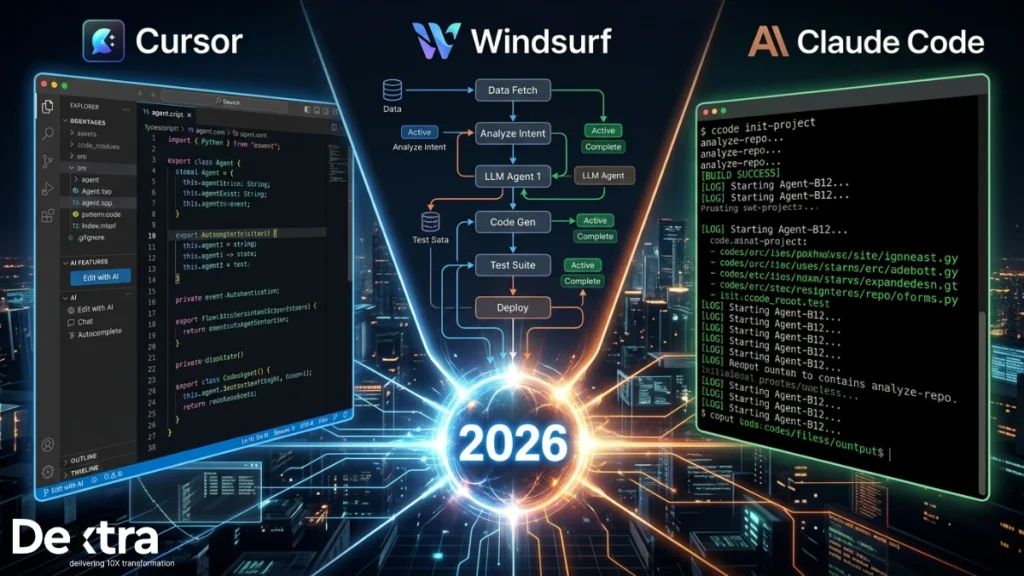
The way developers write software is undergoing its most significant transformation since version control. AI assistance used to mean autocomplete, a smarter Intellisense that saved keystrokes. That era is over.
In 2026, the leading AI coding tools don’t just suggest the next line. They write, edit, debug and ship the code autonomously. They read your entire codebase, reason about architectural dependencies, execute multi-file refactors and course-correct when something breaks. In this Claude code vs Cursor vs Windsurf comparison, we cut through the noise with a frank, technical assessment based on real production usage across Next.js monorepos, distributed backend systems and large-scale refactoring jobs.
Three tools are defining this new era: Cursor (the polished AI-native IDE), Windsurf (the agentic disruptor built around its Cascade engine) and Claude Code (the terminal-native reasoning powerhouse from Anthropic). The shift is already mainstream. According to GitHub’s 2025 Octoverse report, 92% of US-based developers now use AI coding tools, up from 70% in 2023. The question is no longer whether to use AI in your workflow. It is which tool is actually worth your time. For engineering teams beginning to evaluate Building AI Agents with Claude as part of a broader AI strategy, this tooling decision carries real architectural implications, not just UX preferences.
This guide covers all three in depth. By the end, you will have a clear framework for choosing the right tool, or the right combination, for your workflow in 2026.
What Are These Tools, Actually?
Before benchmarks and verdicts, it is worth being precise about what each tool is and what it is not. These are not plugins or enhanced autocomplete engines. They are agents that plan, act and iterate.
1. Cursor: The AI-Native IDE
Cursor is a fork of VS Code with deep AI integration at every layer of the editing experience. Tab completions predict multi-line intent, not just the next token. The Cmd+K inline editor transforms selected code based on a natural language instruction. Composer (Agent Mode) plans and executes multi-file changes. For existing VS Code users, the transition is nearly frictionless. The environment is familiar, extensions work and the AI is woven into every action. Cursor supports Claude, GPT-4o and Gemini, giving teams flexibility in their AI backbone.
Windsurf: The Agentic Collaborator
Windsurf (built by Codeium) is also a VS Code fork, but its defining feature is the Cascade agentic engine. Cascade maintains persistent session context, understands downstream dependency effects and approaches multi-step tasks like a skilled contractor who reads the blueprint before picking up a tool. Where Cursor’s agent responds to individual requests, Windsurf’s Cascade participates in a continuous collaborative thread. It provides similar agentic output at a lower cost than Cursor at $15/mo Pro.
Claude Code: The Terminal-Native Reasoning Engine
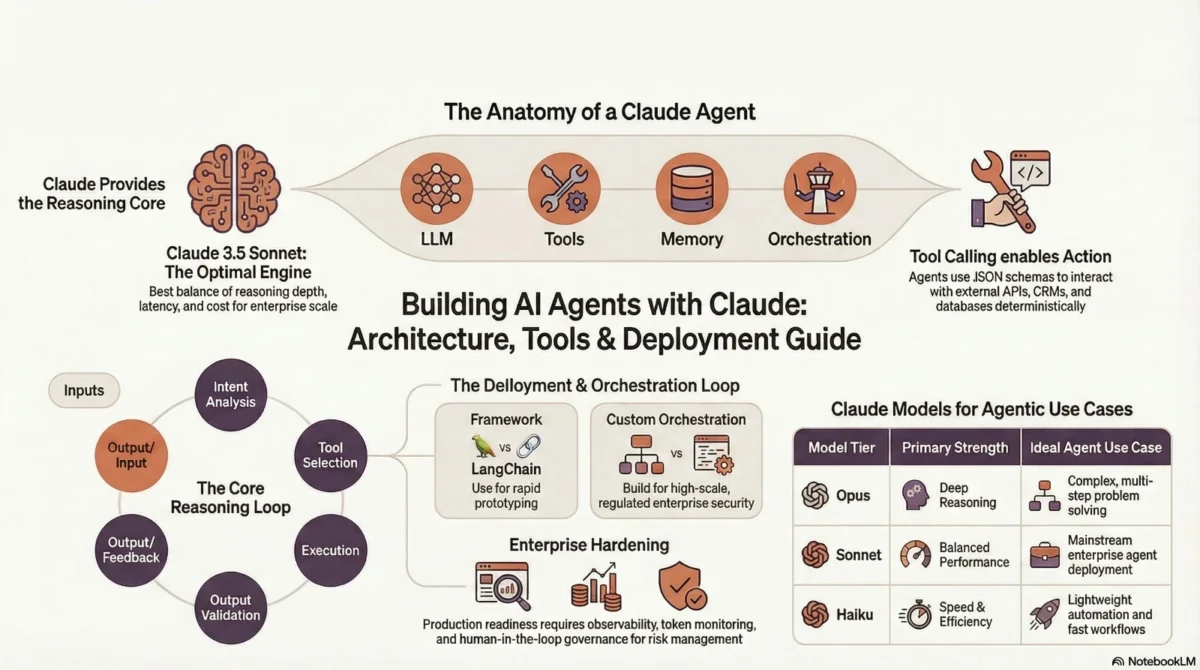
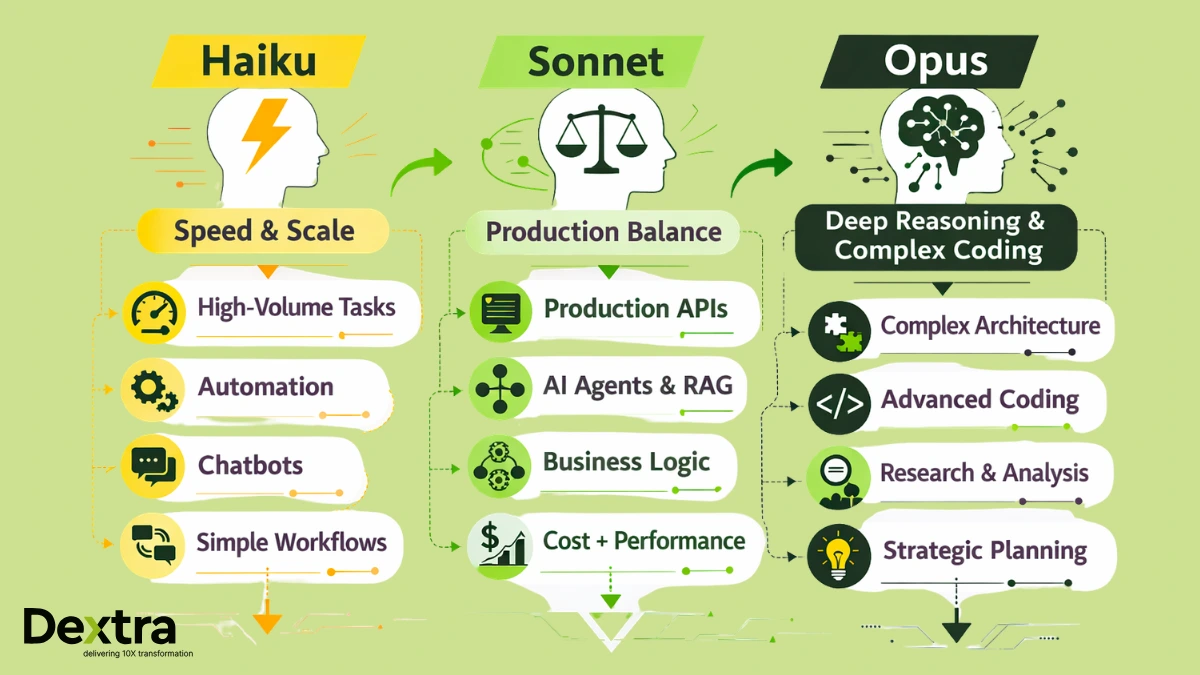
Claude Code is not an IDE. It is a CLI-based agent from Anthropic that lives in the terminal, reads your codebase on demand, executes commands, edits files and reasons at a depth that IDE-based tools cannot match. Powered by Claude Sonnet 4.6 and Opus 4.6, it approaches complex tasks architecturally. It reads import chains, cross-references test files and understands historical decisions encoded in your codebase structure before writing a single line. No GUI. No autocomplete. It is purpose-built for engineering problems where the depth of reasoning determines the quality of the outcome. For readers wanting to understand exactly what powers Claude Code and how model tiers affect performance, our guide on Claude 3 Opus vs Sonnet vs Haiku breaks down the differences in depth.
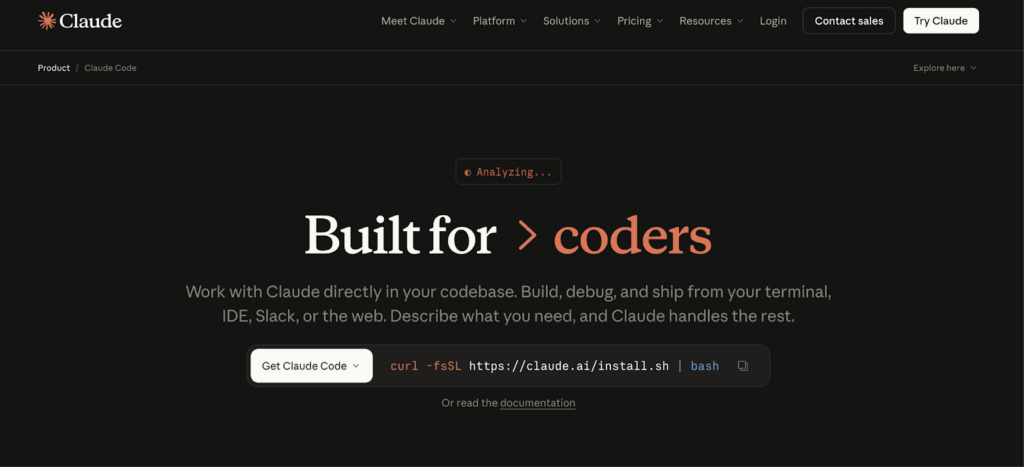
The essential distinction: Cursor and Windsurf speed you up when writing code. Claude Code handles the engineering problems you would otherwise spend hours on.
Key Differences at a Glance:
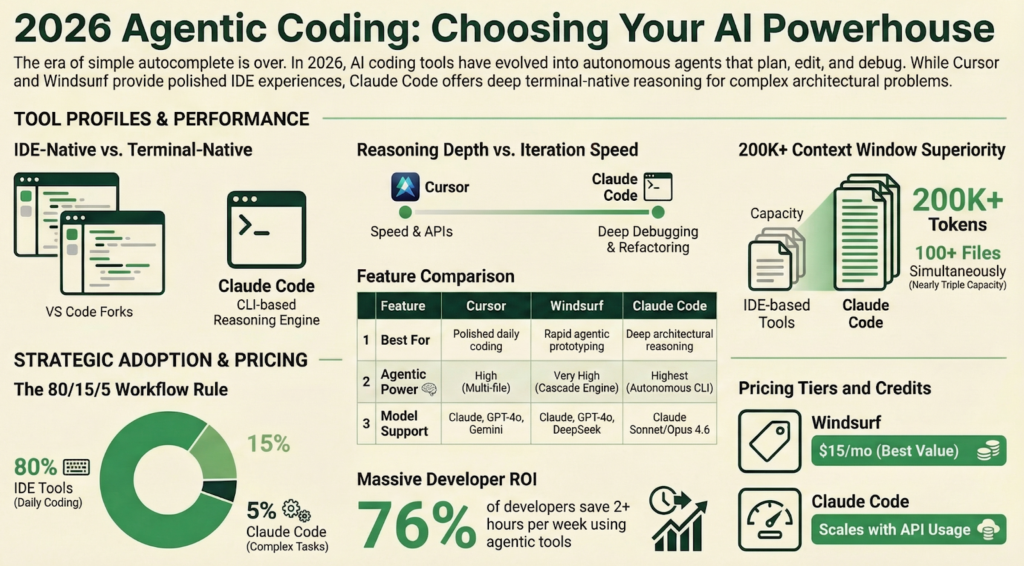
| Feature | Cursor | Windsurf | Claude Code |
| Tool Type | VS Code Fork (IDE) | VS Code Fork (IDE) | Terminal CLI Agent |
| Best For | Polished all-in-one | Speed and prototyping | Deep and complex reasoning |
| Agentic Capability | High (multi-file) | Very High (Cascade) | Highest (autonomous) |
| Context Window | 120K tokens | 100K tokens | 200K+ tokens |
| Codebase Awareness | Good (indexed) | Good (indexed and session) | Superior (reads on demand) |
| Autocomplete | Excellent (Tab) | Excellent (Super Complete) | Not applicable |
| Interface | GUI (VS Code-based) | GUI (VS Code-based) | Terminal / CLI |
| Model Support | Claude, GPT-4o, Gemini | Claude, GPT-4o, DeepSeek-R1 | Claude Sonnet 4.6 / Opus 4.6 |
| Pricing (Pro) | $20/mo (credit-based) | $15/mo | Usage-based / $100/mo Max |
| Extension Ecosystem | Full VS Code | Growing (VS Code-based) | Editor-agnostic |
The key takeaway: these tools do not exist on a single spectrum where one is simply better. They target different developers with different workflows and different problem types, not just different price points. A team choosing between Cursor and Windsurf is making an IDE preference call. A team adding Claude Code is making an architectural decision about where they route their most complex engineering work.
Deep Dive: Cursor – The Polished Power IDE
Cursor’s thesis is that the best AI coding experience is one where the AI feels invisible because it does exactly what you would do, only faster. The result is the most polished, frictionless AI-native IDE available today.
Copilot++: Tab Completion That Predicts Intent
Cursor’s autocomplete does not predict the next token. It predicts your next three to five lines based on what you are building, the patterns your codebase has established and what a competent developer would logically write next. You type async function getUserById and Cursor completes the full ORM query using your project’s library, the correct relation loading pattern and the specific error class your handlers throw. The “Tab Tab Tab” flow state, accepting multi-line predictions and continuing creates a productive momentum that is difficult to describe without experiencing it.
Composer: Agent Mode for Multi-File Tasks
Cursor’s Composer (Cmd+I / Ctrl+I) activates agent mode. You describe a task in natural language and Cursor plans the changes, modifies files and presents a unified diff for review.
Real-world scenario: Refactoring a 40-file Node.js monorepo
Imagine you are working on a Node.js monorepo with 40 service files and you need to migrate from the CommonJS require() to the ES module import syntax throughout. You open Composer, describe the task and Cursor scans the repository, identifies every affected file and begins applying changes systematically. It handles the straightforward files cleanly, updating import statements, fixing default export syntax and adjusting package.json module declarations. Where it shows its limits are in files with dynamic requirements or conditional imports. It completes the mechanical transformation but misses the nuanced cases that require contextual judgment. The explicit scope is handled well. The edge cases require a developer who knows to look for them.
This pattern repeats across tasks: Cursor executes the explicit scope with high quality, but the experience-complete implementation requires steering.
- Strengths: Best-in-class autocomplete quality, a full VS Code extension ecosystem, strong model flexibility across Claude, GPT-4o and Gemini, a mature and stable platform and a minimal learning curve for VS Code users.
- Weaknesses: Agent quality degrades on codebases with 50 or more major files, credit-based pricing can surprise heavy Agent Mode users, occasional hallucinations occur when applying changes to files that changed since the agent read them and context window limits create quality variance on large tasks.
- Best suited for: Full-stack developers and teams wanting a drop-in VS Code replacement with next-generation AI integrated into every editing action. The daily driver for most professional developers.
Deep Dive: Windsurf – The Agentic Speed Demon
Windsurf bets that the future of coding is a continuous back-and-forth between the developer and AI, with less command response and more genuine collaboration. In the Windsurf vs. Cursor vs. Claude code conversation, Windsurf’s Cascade engine is the feature that most consistently surprises developers coming from other tools.
Cascade: The Contractor Approach to Agentic Coding
Cascade approaches tasks the way a skilled contractor approaches a job. It reads the plans, understands the dependencies and works through the task in a coherent pass rather than waiting for instructions at each step. Its “Flows” model means Cascade maintains persistent context across your entire working session. It remembers what you changed an hour ago, understands how that affected downstream files and applies that knowledge to new requests without requiring clarification.
Real-World Scenario: Building a New API Integration from Scratch
Imagine you need to build a complete third-party payment API integration, covering authentication, webhook handling, idempotency, error retry logic and test coverage, from a plain English description. You open Windsurf, describe the integration requirements and Cascade begins planning before writing a single line. It identifies the files that need creating, the existing auth middleware it should hook into, the error handling patterns your codebase already uses and the test structure your project follows. The output is a working integration that fits your codebase’s conventions, not generic boilerplate dropped into the wrong directory. Where Cascade earns its reputation is this contextual fit: it does not just write the code, it writes the code that belongs in your project.
The experience does degrade when the task pushes beyond its session context. Tasks touching architectural boundaries across many disconnected service layers occasionally lose thread. But for the category of rapid, context-aware feature development, Cascade is the strongest engine in this comparison.
- Strengths: Cascade’s persistent session context is uniquely powerful for iterative feature development; excellent price-to-capability ratio; fast prototyping speed; genuinely usable free tier; strong multi-cursor prediction capability.
- Weaknesses: The extension ecosystem is smaller than Cursor’s, session context can apply stale assumptions from earlier in a session, there is a noticeable performance lag on projects with 1,000 or more files and prompt credit limits have frustrated some heavy Pro plan users.
- Best suited for: Startups and developers who prioritize fast autonomous prototyping with excellent within-session context awareness. Particularly strong for greenfield feature development and rapid iteration cycles.
Deep Dive: Claude Code – The Terminal Intelligence Layer
In the Claude Code vs. WindSurf vs. Cursor comparison, Claude Code occupies a category of its own. Claude Code does not compete with Cursor or Windsurf in their respective domains. It exists for the class of engineering problems that neither IDE-based tool can handle reliably.
Not an IDE: And That Is the Point
Claude Code is a terminal-based CLI agent. There is no GUI, no inline diff view, no autocomplete. For developers who live in the command line, this is a feature, not a limitation. No overhead, no context switching, just the agent and the codebase. For those dependent on a visual editor environment, this constraint is real and should factor directly into the adoption decision. Most developers who use Claude Code seriously run it alongside Cursor or Windsurf, with the terminal on one side and the editor on the other.
Large-Context, Repo-Wide Reasoning
Instead of pre-indexing and pulling context via embeddings, which is the approach Cursor and Windsurf use, Claude Code reads files on demand as it reasons through a task. It follows import chains, reads related test files and checks configuration, building a coherent mental model of the codebase from first principles. Combined with the underlying Claude model’s 200K+ token context window, the practical gap is significant:
| Tool | Effective Code Context | Comfortable File Range |
| Cursor | 60 to 80K tokens | Up to 30 to 50 files |
| Windsurf | 50 to 70K tokens | Up to 30 to 50 files |
| Claude Code | 150K+ tokens | Up to 100+ files |
Understanding the model tier matters here. The difference between running on Sonnet 4.6 versus Opus 4.6 is measurable in reasoning quality on the hardest tasks. See our breakdown of Claude 3 Opus vs Sonnet vs Haiku for a detailed comparison of where each model excels and at what cost point.
Real-World Scenario: Debugging a Distributed Systems Bug Across a 200K-Line Codebase
Imagine a subtle race condition in a distributed job processing system, manifesting only under concurrent load, non-deterministically, across three microservices and a shared message queue. The kind of bug that takes a senior engineer a full day to isolate manually. You describe the symptoms to Claude Code and it begins reading not just the obvious service files but also the shared queue client library, the retry logic, the connection pool configuration and the integration test setup. It traces the execution path across all three services, identifies the timing window where two workers can claim the same job under high concurrency and pinpoints the missing distributed lock acquisition that allows the race. It then produces a fix and explains why the existing test suite did not catch it, suggesting the specific concurrent load scenario that should be added. This is where Claude Code earns its reputation: not in writing boilerplate, but in reasoning through problems that require holding an entire system’s behavior in context simultaneously.
- Strengths: Unmatched context window (200K+ tokens), true architectural reasoning across 20 to 100+ files, editor-agnostic and works alongside any IDE and strongest performance on complex debugging and large-scale refactoring.
- Weaknesses: No autocomplete or inline editing, significantly higher cost for heavy usage, real learning curve for prompt crafting and CLAUDE.md configuration, overkill for simple isolated changes, requires genuine terminal comfort.
- Best suited for: Senior engineers and platform teams tackling deep, complex, repository-scale problems where reasoning depth matters more than iteration speed.
Head-to-Head: Real-World Benchmark Scenarios
We ran four structured test scenarios across all three tools using identical prompts and the same codebases. Results are directional. Performance varies with prompt quality, model selection and codebase characteristics. These are observations, not absolute rankings.
Scenario 1: Write a REST API from Scratch
Build a fully functional REST API with authentication, input validation and CRUD operations from a plain English description. The cursor produced the working code fastest, with autocompletion dramatically accelerating boilerplate generation. Windsurf produced a slightly cleaner initial structure via Cascade’s planning pass. Claude Code completed the task capably, but its read-plan-execute cycle made it slower than the IDE tools for a task this straightforward.
Scenario 2: Debug a Cross-File Async Issue
A subtle race condition occurred in an async job queue that spans three service files and a shared database connection pool. Cursor identified the symptom in the most obvious file but missed the root cause upstream. Windsurf’s session context helped it find one additional upstream cause but missed a second. Claude Code traced the full execution path across all three files, identified both contributing causes and included the database connection pool behavior in its diagnosis, context that neither IDE tool retrieved.
Scenario 3: Refactor 15 Related Files to a New Pattern
Migrate 15 files from a class-based to a functional pattern with hooks, maintaining all existing behavior. Cursor completed approximately 70% before losing coherence. Later files showed inconsistent pattern application. Windsurf completed closer to 90% via Cascade’s dependency tracking, though two files had subtle inconsistencies. Claude Code maintained a coherent architectural vision across all 15 files with zero context degradation mid-task.
Scenario 4: Generate a Full Test Suite
Generate comprehensive tests for a complex authentication module, covering unit tests, integration tests, edge cases and async error paths. Cursor produced excellent coverage with minor hallucinations on method signatures. Windsurf produced comparable coverage with slightly fewer edge cases. Claude Code produced the strongest coverage, explicitly reasoning about error paths, async timing issues and edge cases the other tools did not surface.
| Scenario | Winner | Rationale |
| REST API from scratch | Cursor | Fastest to working code: autocomplete advantage on familiar patterns |
| Cross-file async debug | Claude Code | Only tool that traced the full dependency chain |
| 15-file refactor | Claude Code | Coherent architectural vision, no context degradation |
| Full test suite | Claude Code | Best coverage, explicit edge case reasoning |
Important caveat: Claude Code’s advantage is specific to tasks requiring sustained, deep, cross-file reasoning. Cursor and Windsurf outperform it on speed for well-scoped tasks. For daily coding volume, neither can be replaced by a terminal agent. These results reflect the tail of task complexity, not the median.
How Do These Stack Up Against GitHub Copilot?
Copilot remains the most widely installed AI coding tool by install base and for teams embedded in the GitHub ecosystem, its native integration has genuine value. But in 2026, comparing Copilot to Cursor, Windsurf, or Claude Code on agentic capability is an increasingly uneven exercise.
Copilot’s core constraint is that it is primarily an autocomplete and chat tool. It does not have a true agentic engine with multi-file planning and execution. It cannot maintain coherent context across a long refactoring task or self-correct across a complex architectural change. In the full cursor vs windsurf vs copilot vs claude code evaluation, Copilot consistently finishes last on agentic benchmarks. Not because it is a poor tool, but because it was designed to solve a different problem. Copilot is a tool. Cursor, Windsurf and Claude Code are agents. The gap between those two categories is widening in 2026, not narrowing.
Copilot still makes sense for teams deeply integrated into GitHub workflows, operating under existing enterprise contracts, or primarily using AI for autocomplete rather than agentic tasks. For teams actively migrating, Cursor is the lowest-friction transition, with a familiar VS Code environment, compatible extensions and dramatically stronger agent capabilities. Claude Code represents the highest capability jump but the most significant workflow change.
For a broader landscape including Copilot, Devin and others, see Best Claude Code Alternatives for our full breakdown.
Pricing Breakdown: What Does Each Tool Actually Cost?
Headline pricing is only part of the story. Understanding total cost of ownership, including credit burn rates, token consumption at scale and the cost of tasks each tool can and cannot handle, is essential for an informed decision.
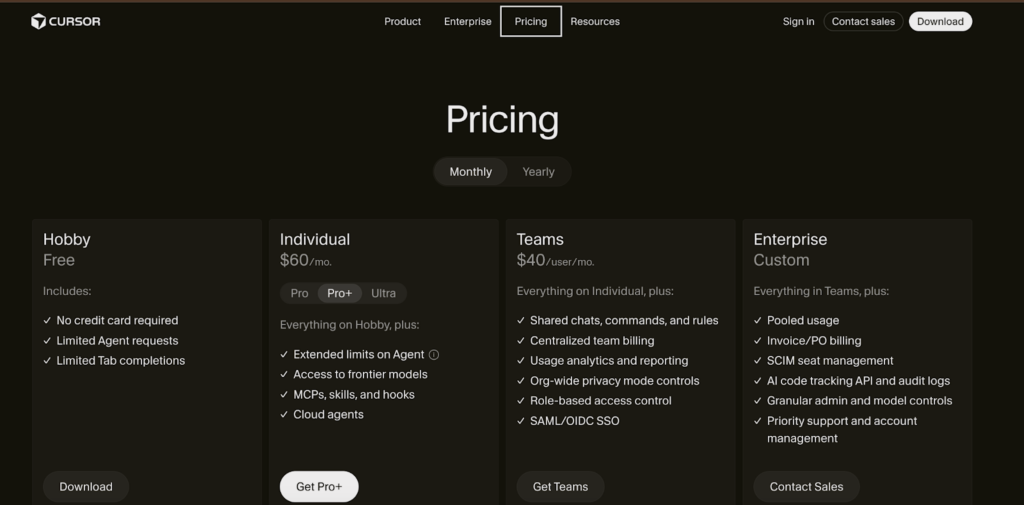
- Cursor: Free tier available. Pro at $20/mo (credit-based and heavy agent mode use can exhaust the monthly pool, after which usage is billed at model-specific rates). Business at $40/mo with admin controls, centralized billing and privacy mode. Model access is bundled, so there are no separate API costs for most users.
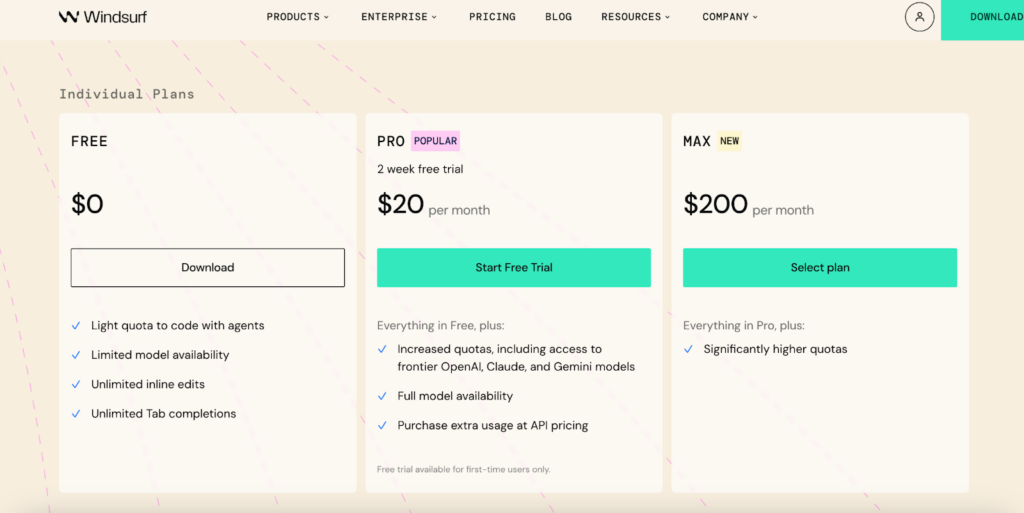
- Windsurf: Free tier that is genuinely usable for real evaluation. Pro at $15/mo with 500 prompt credits and unlimited tab completions. The strongest per-dollar value in the market for individual developers. Team pricing is custom.
- Claude Code: Usage-based via Anthropic’s API. Sonnet 4.6 at approximately $3/M input and $15/M output. Opus 4.6 at approximately $5/M input and $25/M output. Practical monthly costs for a senior engineer using it two to three hours per day run from $60 to $100 on Sonnet and $100 to $200 on Opus. The Claude Max 5x plan at $100/mo flat is recommended for active daily users and provides more predictable costs than pure API billing.

| Usage Pattern | Cursor | Windsurf | Claude Code |
| Light (occasional agent tasks) | $20 | $15 | $20 to $40 |
| Moderate (daily agent use) | $20 (may hit limits) | $15 | $60 to $100 |
| Heavy (complex refactoring daily) | $20 to $40 | $15 | $100 to $200 |
| 5-dev team | $200 | $100 | $500+ or Max x5 |
Enterprise considerations: Cursor Business and Windsurf, both teams, offer SSO, audit logs and centralized billing. Claude Code’s enterprise API tier has features that help keep data in specific locations and ensure strong privacy protections, which are important for industries like finance, healthcare and government. For CTOs making the budget case, the right frame is Claude Code’s cost against the engineering time it displaces. At a $150/hr senior engineering cost, a single two-hour task completed in 20 minutes pays for a month of the Max plan. The time savings are well documented. According to the Stack Overflow Developer Survey 2025, 76% of developers report that AI coding tools save them at least 2 hours per week. At a senior engineering cost of $150/hr, this results in a straightforward budget case for any engineering lead.
Enterprise Adoption: Choosing at Scale
Enterprise teams face a different decision space than individual developers. Feature quality matters, but so do security posture, compliance controls, CI/CD integration, support SLAs and the organizational change management involved in shifting how engineers write code.
Security and Data Privacy
Cursor and Windsurf both offer business and enterprise plans with privacy modes that prevent codes from being used for model training, along with SSO integration and centralized billing. Claude Code connects to Anthropic’s enterprise API tier with data privacy guarantees and data residency controls suitable for regulated industries.
Integration with Existing Toolchains
Claude Code’s terminal-native architecture means it integrates with any editor and any CI/CD pipeline without ecosystem lock-in. Cursor and Windsurf are VS Code-centric, which simplifies developer experience but creates ecosystem dependency. For organizations standardized on JetBrains or other editors, this is a meaningful consideration.
The Hidden Cost of the Wrong Choice
Switching AI coding tools mid-project is not like switching text editors. Engineers build workflows, muscle memory and prompting discipline around a specific system. Getting tool selection right upfront, validated against real production workloads rather than demos, saves significant retraining and retooling costs downstream. Lost developer productivity during transition, reconfiguration of CI/CD integrations and disruption to established team workflows all compound into a cost that rarely appears in tool comparison spreadsheets.
For companies creating completely self-operating development processes, choosing the right tools is just one part of a larger AI engineering plan. The book “Building AI Agents with Claude” goes into detail about how to set up workflows for AI agents, which models to use for different tasks and how to connect AI agents with CI/CD and review processes, helping teams move from just using individual tools to creating organized systems with AI.
Dextra Labs: AI Consulting for Enterprises
Dextra Labs is an AI consulting agency helping enterprises deploy, customize and scale Claude-powered solutions, from intelligent coding agents to complex workflow automation. Whether evaluating Claude Code for your engineering team or architecting a full agentic pipeline, Dextra’s consultants bring real-world expertise. Talk to a Claude AI Consultant at dextralabs.com
If you are a solo developer or small team, the sections below will help you decide without needing external support.
Which One Should You Choose? The Decision Framework
Consider focusing on which option aligns best with your workflow, codebase and problem type, rather than simply asking which is best. Here is the decision broken down by profile.
Choose Cursor if:
- You want the most polished, stable AI IDE with zero friction from day one
- Your team standardises on VS Code and needs full extension compatibility
- Your tasks are predominantly small to medium in scope, under 50 major files regularly
- You want one tool covering autocomplete through agent tasks without managing multiple systems
- Model flexibility matters and you want to switch between Claude, GPT-4o and Gemini
Choose Windsurf if:
- Budget matters and you want the strongest value at $15/mo Pro
- You work on greenfield or smaller projects with high iteration velocity
- The collaborative Cascade session model suits how you work
- You are a startup needing strong agentic capability without a premium tooling budget
- You want a genuinely usable free tier before committing
Choose Claude Code if:
- Your tasks routinely span 20 to 100+ files and require architectural coherence throughout
- You need autonomous architectural reasoning, not guided code completion
- You are comfortable in terminal-based workflows and do not need a GUI layer
- You can make a clear ROI case, since the tasks it handles are genuinely expensive to do manually
- You want AI assistance that works alongside any editor without ecosystem lock-in
Choose all three if:
- You are a professional developer on a production codebase and cost is not the primary constraint
- You want the best tool for each category of work rather than one compromise tool for everything
The combination play is what many senior engineers and high-output teams actually do. The 80/15/5 rule:
| Percentage of Time | Task Type | Best Tool |
| 80% | Daily coding, autocomplete, inline edits | Cursor or Windsurf |
| 15% | Medium agent tasks, 5 to 15 files | Cursor Agent or Windsurf Cascade |
| 5% | Complex multi-file architectural work | Claude Code |
That 5% of Claude Code usage handles tasks that would otherwise consume hours of focused senior engineering time. Cursor Pro ($20) combined with Claude Code at moderate API usage ($60 to $100) totals $80 to $120 per month, which is less than a few hours of the engineering time it saves you each month.
What Is Next: The Future of Agentic Coding Tools (2026+)
The clearest trend in agentic coding tooling is convergence. IDEs are becoming more agentic. Cursor and Windsurf ship more autonomous capability with every release. Terminal agents are gaining richer IDE integration and Claude Code now ships extensions for VS Code and JetBrains. The gap between “AI IDE” and “terminal agent” will narrow meaningfully in the next 12 to 18 months.
Multi-Agent Coding Pipelines
The most interesting frontier is not individual tools but pipelines of specialised agents. Architectures are starting to appear where Claude Code manages smaller agents, uses Cursor or Windsurf to handle user interface tasks and connects with CI/CD to automatically create and review pull requests. Anthropic’s multi-agent framework makes Claude Code a natural orchestration layer, reasoning at the top level while delegating execution to faster, lighter agents. Enterprises building fully autonomous development pipelines should explore Building AI Agents with Claude as a starting point for their architecture.
The Enterprise AI Coding Stack of 2026
The advanced, ready-to-use setup is starting to look like this: every developer uses an AI-native IDE (like Cursor or Windsurf) as their main tool, Claude Code is used by platform and senior engineering teams for complicated tasks and there are new CI/CD-integrated agents for automating testing, reviews and documentation. The tools reviewed here are the current leading edge of that stack.
The Expanding Competitive Landscape
Devin, Replit AI and GitHub Copilot Workspace are all accelerating. None currently match the combination of reasoning depth (Claude Code), IDE polish (Cursor) and agentic speed (Windsurf) that these three tools offer together. But this space moves fast and the competitive picture will shift significantly by the end of 2026.
Conclusion
In the Claude Code vs. Cursor vs. Wndsurf comparison, no single tool wins for every developer or problem type. The conclusion is clear: Cursor provides stability and polish, Windsurf offers agentic speed and value and Claude Code offers the deepest reasoning intelligence currently available in a coding tool. The right answer depends on your workflow, your team size and the nature of the problems you solve most often, not just headline features.
If you are picking one, choose Cursor for the most polished all-around AI coding experience. Choose Claude Code if complex codebases and architectural reasoning are your primary concern. Choose Windsurf if agentic speed and value drive the decision.
If you are picking two, Cursor combined with Claude Code is the power combination most high-output developers land on. A daily driver plus a specialist for the challenging problems covers the full range of what professional development demands.
Before committing to Claude Code, it is worth understanding the model powering it. The performance and cost difference between Sonnet 4.6 and Opus 4.6 is real and meaningful for heavy usage. Read our Claude 3 Opus vs Sonnet vs Haiku breakdown before making that call. If you are still evaluating the broader landscape, including Devin, Copilot Workspace and others, Best Claude Code Alternatives covers the full competitive picture.
Ready to deploy AI at scale?
Dextra Labs provides expert Claude AI consulting to enterprises across finance, healthcare, engineering and SaaS. From tool selection and integration to custom Claude-powered agent In development, we manage the complexity so your team can ship faster. Book a free strategy session at dextralabs.com
FAQs
Is Claude Code better than Cursor?
They solve different problems. Claude Code excels at deep reasoning on complex codebases, specifically tasks spanning 20 to 100+ files where architectural coherence matters throughout. Cursor provides a more complete, polished daily IDE experience with best-in-class autocomplete and strong, focused agent tasks. The best choice depends on your workflow and for most professional developers, the answer is using both.
Is Windsurf faster than Cursor?
For agentic, multi-step tasks within a session, Windsurf’s Cascade engine is often faster and requires less manual correction, particularly for iterative feature development where session context compounds across steps. Cursor may have the edge in raw autocomplete speed. For tasks requiring reasoning across large portions of a codebase, neither matches Claude Code’s sustained context depth.
What is Claude Code used for?
Claude Code is a terminal-based AI coding agent best used for complex, repository-wide tasks requiring deep reasoning, including debugging cross-file async issues and race conditions, large-scale architectural refactors, migrating system-wide patterns and generating comprehensive test suites. It is a specialist tool for engineering problems where reasoning depth determines outcome quality.
Can I use Claude Code with Cursor or Windsurf?
Yes, many developers use Claude Code in the terminal alongside Cursor or Windsurf in the IDE, leveraging Claude Code for the challenging problems and the IDE tools for daily workflow. This pairing is the highest-leverage configuration most experienced developers land on.
What is the best AI coding tool in 2026?
No single tool wins for all use cases. Cursor leads for polished IDE workflows, Windsurf leads for rapid agentic prototyping and Claude Code leads for the deepest AI reasoning in coding. For most professional developers on production codebases, the optimal answer is a combination of two of these tools rather than any single one.
Is Windsurf or Cursor better for beginners?
Cursor is easier for beginners due to its close resemblance to VS Code. There is almost nothing new to learn beyond the AI features themselves. Windsurf is also approachable, but Cascade’s agentic nature has a slightly steeper mental model to use effectively. Claude Code is not recommended for developers new to AI-assisted coding given its terminal-native interface and prompt engineering requirements.