
GitHub Copilot sits in 90% of Fortune 100 companies and right now, procurement committees across those same organizations are back at the evaluation table. On June 1, 2026, GitHub moved all paid plans to usage-based AI Credits. The $19/user/month price remains the same but that fee now buys a fixed monthly bucket of AI Credits, and when that bucket runs out, every action costs extra. For teams running agentic workloads, the bills are coming in 10x to 50x higher than before.
Pricing isn’t just the only trigger. The product shape has shifted from inline autocomplete to autonomous coding agents that handle tickets, multi-file edits, and PR submissions end-to-end. Claude Code, Cursor, and Cognition Devin have redefined the category. Copilot’s autocomplete-first DNA increasingly looks like the previous generation.
If you’re a CTO, CIO, or VP of Engineering, this guide is built for you, not the developer picking a tool, but the executive owning the decision. Eight procurement criteria, ten GitHub Copilot alternatives evaluated honestly, with migration guidance, and TCO modeling for your actual engineering headcount.
The CTO Procurement Framework: 8 Criteria for Evaluating GitHub Copilot Alternatives
Before comparing any alternatives to GitHub Copilot for enterprise, define the criteria your organization will use to evaluate them. Every procurement decision for an AI coding assistant comes down to eight criteria. Work through them in order, weigh them against your organization’s specific constraints, and you’ll have a shortlist before you open a single vendor deck.
The framework below reflects the eight factors that heavily influence enterprise AI coding assistant procurement decisions in 2026:
Criterion 1: Deployment Model
Where does the tool actually run, and where does your code travel? This is often the first filter because it immediately eliminates vendors that don’t meet security requirements.
Different organizations have very different requirements. For example, a fast-growing SaaS company may be comfortable with a cloud-hosted solution, while a healthcare provider, financial institution, or government contractor may require much stricter controls.

Most enterprise AI coding assistants generally fall into four deployment categories:
- SaaS-only: Code is processed in the vendor’s cloud infrastructure. This is how most tools on this list operate, and it’s acceptable for organizations without strict data residency requirements but it’s the first thing your CISO will push back on.
- VPC deployment: The vendor’s software runs inside your cloud environment. Sourcegraph Amp, Augment Code, and Windsurf Enterprise all support this model, making them viable for organizations that need cloud flexibility without surrendering data control.
- On-premises AI coding: The platform runs entirely within your infrastructure. Among major GitHub Copilot alternatives, Tabnine and Sourcegraph Cody offer self-hosted solutions built specifically for enterprise security requirements.
- Air-gapped deployment: Air-gapped deployment takes it one step further with zero internet connectivity and complete sovereign control.
The procurement question ultimately comes down to what is the most restrictive deployment model your security team will approve in production? Answer that first, and a large portion of the market disappears immediately.
Criterion 2: Data Handling and IP Indemnity
For many procurement teams, this is the make-or-break category. Even the most capable AI coding assistant won’t pass review if legal and security teams are uncomfortable with how code is handled. Focus on these three questions:
Q1. Does the vendor train on your code?
Enterprise buyers increasingly require clear assurances that proprietary source code will not be used for model training.
Leading vendors such as GitHub Copilot Enterprise, Claude Code, Cursor, and Codex Business provide explicit commitments around training exclusion. Smaller vendors may offer similar protections, but the policies are not always as clearly documented.
Q2. How is your code processed?
Understanding the data flow is critical. You can ask the following:
- Does code leave your environment?
- Where is it processed?
- How long is it retained?
- Are zero-data-retention options available?
- Are there data residency controls?
Most SaaS-based AI coding assistants, including GitHub Copilot, Cursor, Claude Code, Codex, and Gemini Code Assist, process code through vendor-managed infrastructure. For organizations with stricter security, compliance, or data residency requirements, custom deployment can provide greater control over source code, intellectual property, and regulated workloads while aligning with existing enterprise infrastructure and governance policies.
For highly regulated organizations, these answers often carry more weight than benchmark performance.
Q3. Does the vendor provide IP indemnification?
AI-generated code creates new legal considerations. Several major vendors, including Microsoft (GitHub Copilot), Anthropic, OpenAI (Codex), and Tabnine, provide contractual IP indemnity protections that help reduce organizational risk if copyright or intellectual property claims arise from generated code.
If a vendor does not offer indemnification, legal teams may flag that as a procurement concern regardless of technical capability. In many enterprises, the absence of clear indemnity coverage can become a procurement blocker long before the technical evaluation is complete.
Criterion 3: Compliance Posture
Start by mapping the tool’s certifications against your actual requirements, not against the requirements your CISO wishes existed.
In most enterprise evaluations, compliance is a simple pass or fail decision. If a tool does not meet the required standards, it rarely moves forward regardless of its capability.
Key requirements typically include:
- SOC 2 Type II for security and operational controls.
- ISO 27001 for information security management.
- HIPAA for healthcare organizations handling protected health information.
- FedRAMP or FedRAMP High for federal agencies and contractors.
- PCI DSS for payment-related systems.
- GDPR and regional data residency requirements for European operations.
As requirements become stricter, the number of viable vendors reduces quickly.
Only a few platforms meet the highest security thresholds today. Windsurf and Amazon Q Developer are among the limited tools with FedRAMP certification. Tabnine and Sourcegraph meet SOC 2 Type II and ISO 27001 requirements. Many newer or consumer-oriented tools like early Cursor, Codeium, and Aider generally operate at SOC 2 level without broader certifications.
Also, it’s worth noting that no single platform typically satisfies every enterprise compliance requirement. For organizations operating across multiple regulatory frameworks, the challenge is often selecting the right combination of deployment model, governance controls, and vendor capabilities rather than simply choosing the tool with the longest certification list.
Criterion 4: Identity and Access (SSO, SCIM, RBAC, Audit Logs)
Once a team crosses roughly 100 engineers, identity and access controls stop being optional.
For enterprises evaluating alternatives to GitHub Copilot for enterprise, this becomes one of the first operational checks during procurement.
At a minimum, enterprise buyers should evaluate:
- SSO (SAML/OIDC)
- SCIM provisioning
- Role-Based Access Control (RBAC)
- Audit logs
- Administrative controls and reporting
Most enterprise plans include these capabilities, but they are often restricted or missing in free and entry level tiers. Confirm availability before procurement rather than discovering limitations during rollout.
Criterion 5: Model Flexibility (Single Model vs Multi Model vs BYOK)
Model strategy plays a very big role in long-term vendor flexibility. A tool that looks best today may not remain the strongest option six months from now. That makes model flexibility an increasingly important procurement consideration.
Generally, tools fall into three categories, which are as follows:
1. Single-model platforms
These are tightly aligned with a specific model provider. For example, Claude Code is Anthropic-only, Codex is OpenAI-based, and Gemini Code Assist is Google-specific. This approach can simplify the user experience but may increase vendor lock-in compared to multi-model alternatives.
2. Multi-model platforms
Tools such as Cursor, Windsurf, and Continue.dev allow organizations to work across multiple model providers. This flexibility can reduce vendor lock-in and provide leverage as pricing or model quality changes.
3. BYOK (Bring Your Own Key)
Some platforms allow organizations to connect their own LLM providers and use negotiated contracts directly. Tools like Continue.dev and Aider support this, so tech teams can use their existing contracts with OpenAI, Anthropic, Gemini, or other providers.
This is useful for teams that have:
- Existing AI/LLM contracts
- Separate AI budgets
- Strict security or isolation needs
- Tight procurement controls
This difference matters more over time. If pricing changes or a model performs differently in production, multi model tools give you options without changing your workflow. Single model tools do not offer that flexibility.
Criterion 6: IDE and Workflow Coverage
Tool adoption often depends more on workflow fit than on model quality. Start by evaluating IDE support:
- VS Code
- JetBrains IntelliJ
- PyCharm
- GoLand
- Visual Studio
- Neovim
A tool may receive outstanding reviews but may still be a poor fit if it doesn’t support the environments your teams use every day.
Beyond IDE compatibility, consider workflow coverage:
- Terminal-native workflows
- GitHub integration
- GitLab integration
- Pull request review automation
- CI/CD integrations
- Multi-repository support
The best enterprise AI coding assistant is often the one that requires the fewest workflow changes to achieve adoption.
Criterion 7: Total Cost of Ownership at Your Scale
Looking at per-seat pricing alone rarely gives an accurate picture of enterprise cost. When evaluating GitHub Copilot alternatives, enterprise buyers should look beyond per-seat licensing and consider the complete cost of ownership.
Key factors include:
- Per-seat pricing
- Usage-based pricing
- Credit-based billing
- AI credit consumption
- Administrative overhead
- Security reviews
- Professional services
- User training
- Parallel licensing during migration
A tool that appears inexpensive at 50 engineers can become significantly more expensive at 2,000 engineers once usage-based costs are included. This is particularly important as the market shifts toward AI credits and consumption-based pricing models.
Criterion 8: Capability Ceiling
At this point, the question shifts from what the tool can do in theory to what you actually need in day-to-day engineering work.

Not every organization needs fully autonomous software engineering. Most teams still get the most value from strong code completion, better code generation, and better workflow integration rather than agents that try to do everything end-to-end.
A simple way to understand this is a capability ladder:
Level 1: AI Coding Assistant
- Autocomplete
- Code suggestions
- Chat-based help
Level 2: Context-Aware Development
- Multi-file edits
- Repository awareness
- Better refactoring support
Level 3: Autonomous Coding Agents
- End-to-end task execution from a prompt
- Changes across multiple files
- Automated pull requests
Level 4: Multi-Repository Orchestration
- Multiple agents running in parallel
- Cross-project workflows
- Large-scale automation
Most teams assume they need the highest level of autonomy, but in practice many get strong value at the mid level, where AI supports development without fully taking over execution.
As capability increases, so does the need for governance, review processes, and operational control. The real decision is not how advanced the tool is, but how much autonomy your organization can safely manage at scale.
GitHub Copilot Alternatives Compared: Procurement Criteria at a Glance [2026 Updated]
Below is a comparison of the major GitHub Copilot alternatives mapped against the procurement framework. You can use this as a quick scan layer to see how each tool fits across deployment, security, compliance, and cost. The detailed, tool-by-tool evaluation comes next in the following section. So, stay tuned!
| S.No. | Tool | Deployment | IP Indemnity | Compliance | SSO / SCIM | Multi-Model | On-Prem Available | Best For (CTO Lens) | Enterprise Pricing |
| – | GitHub Copilot Enterprise (Baseline Reference) | SaaS (Azure) | Yes, backed by Microsoft | SOC 2, ISO 27001 | Yes | No (GPT/Claude only) | No | Best for organizations already standardized on Microsoft, GitHub, and Azure that do not require deployment isolation | $39/seat/mo + AI Credits |
| 1 | Cursor | SaaS | Yes | SOC 2 Type II | Yes | Yes (Claude/GPT/Gemini/xAI) | No | The closest drop-in replacement for Copilot, offering significantly more model choice and developer flexibility | $40/seat/mo Teams; Enterprise custom |
| 2 | Claude Code (Anthropic) | SaaS + Local | Yes | SOC 2 Type II | Yes | No (Anthropic) | Partial (local execution) | Teams seeking highly capable agentic coding workflows and terminal-first development experiences | $100–125/seat/mo Team Premium |
| 3 | Codex (OpenAI) | SaaS | Yes | SOC 2, HIPAA | Yes | No (OpenAI) | No | Organizations heavily invested in OpenAI’s ecosystem and workflows | $20/seat/mo Business (annual; capped Codex usage) + pay-as-you-go token billing for Codex-only seats; Enterprise custom |
| 4 | Tabnine | SaaS / VPC / On-Prem | Yes (full indemnification) | SOC 2 Type II, ISO 27001 | Yes | Yes (incl. private models) | Yes (full air-gap) | Regulated industries that require complete control over source code, models, and infrastructure | Starts around $59/user/month; Enterprise pricing varies |
| 5 | Sourcegraph Amp | SaaS / VPC | Yes | SOC 2 Type II | Yes | Yes | Yes (Enterprise deployment options available) | Large engineering organizations managing complex monorepos and seeking deep code intelligence across repositories | Custom enterprise prising |
| 6 | Amazon Q Developer | AWS native | Yes, backed by AWS | SOC 2, HIPAA, FedRAMP | Yes (IAM) | No (Amazon models) | No | AWS-centric organizations with significant cloud infrastructure, DevOps, and IaC workloads | $19/seat/mo Pro |
| 7 | Windsurf | SaaS / VPC | Yes | SOC 2 Type II, and enterprise security controls | Yes | Yes | Limited private deployment options depending on enterprise agreement | Organizations looking for an AI-first IDE with strong agent workflows and enterprise controls | $30/seat/mo Teams; Enterprise custom |
| 8 | Gemini Code Assist | Google Cloud | Yes | SOC 2, HIPAA | Yes | No (Gemini models only) | No | Companies deeply invested in Google Cloud, BigQuery, Vertex AI, and the Google ecosystem | $45–54/seat/mo Enterprise |
| 9 | Cognition Devin | SaaS | Yes | SOC 2 Type II | Yes | No | No | Organizations experimenting with autonomous software engineering, ticket-to-PR automation, and delegated development tasks | Custom pricing |
| 10 | Augment Code | SaaS / VPC | Yes | SOC 2 Type II | Yes | Yes | Partial (VPC) | Engineering teams working with very large codebases that need deep repository understanding and long-context reasoning. | Credit-based pricing |
No single tool wins across every category. Organizations that require private or air-gapped deployments may gravitate toward Tabnine, teams invested in AWS or Google Cloud might find Amazon Q Developer or Gemini Code Assist more compelling, and engineering groups focused on developer productivity and model flexibility could favor Cursor or Augment Code. The right choice is usually determined by constraints first and capabilities second.
With that context in mind, the next section moves beyond feature checklists and examines how these tools typically perform in real enterprise environments.
Individual Tool Evaluation: How These GitHub Copilot Alternatives Actually Look Like in Enterprise Production
With the procurement framework and comparison table as your filter, here’s how each tool actually performs listed within their respected categories:
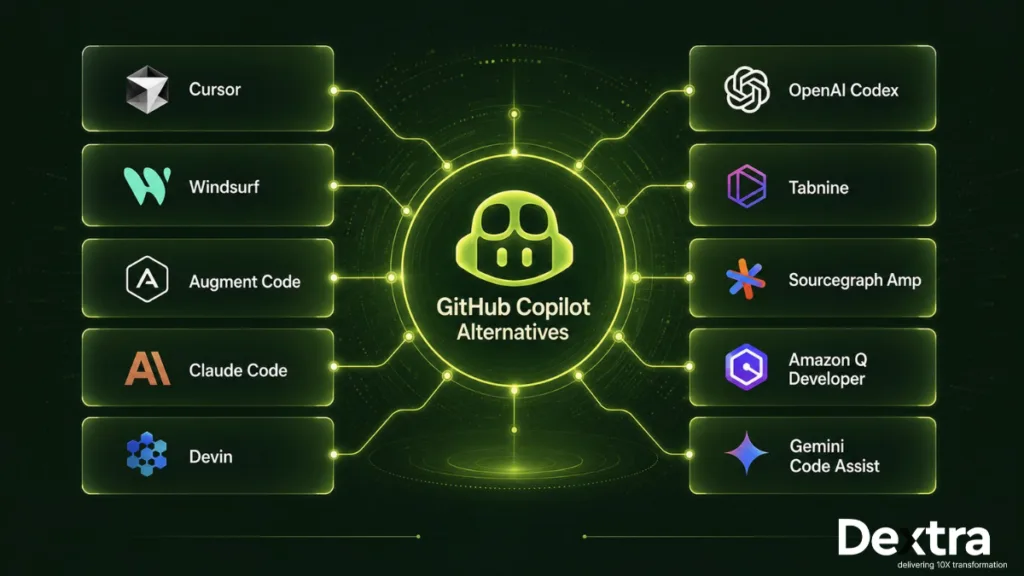
Category 1: Direct GitHub Copilot Replacements
The first category includes tools that are closest to GitHub Copilot in form with varying enterprise tradeoffs.
1. Cursor
Cursor is typically chosen by teams that like the IDE-native feel of GitHub Copilot but want significantly more control over models and workflow depth. In enterprise conversations, it often comes up as the “natural next step” from Copilot rather than a disruptive replacement.
What it does well in enterprise
- Tab autocomplete feels faster and more responsive than Copilot in day-to-day coding flow.
- Built-in in-editor code review (Bugbot-style) improves senior engineer adoption by reducing context switching.
- Slack and mobile support extend workflows beyond the IDE for review and collaboration.
Where it falls short in procurement
- Lack of JetBrains support is a hard blocker for Java/Kotlin-heavy organizations.
- Usage-based credit pricing can create budget unpredictability at scale.
- Limited IDE coverage can complicate enterprise-wide standardization.
Best-fit scenario
Cursor tends to work best in 200–2,000 engineer organizations that are already standardized on VS Code and have strong organic adoption among senior engineers.
2. Windsurf
Windsurf is one of the few tools that combines agentic coding capabilities with enterprise-grade compliance requirements, making it relevant for regulated environments that still want automation.
What it does well in enterprise
FedRAMP approval is the qualifier; only a small set of tools qualify for federal contractors, and Windsurf is one of them alongside Amazon Q Developer. It also stands out because it supports multiple AI models within a compliant setup, which is uncommon in this category. The Cognition–Codeium merger also helps simplify the product by combining the SWE-1.5 model and Cascade agent into a single workflow.
Where it falls short in procurement
- Agent workflows still feel less mature than Claude Code in complex tasks.
- Pricing premium at Enterprise tier requires justifying capability against Cursor’s $40/seat.
Best-fit scenario
Federally regulated organizations (defense, government contractors, healthcare) that need agentic capability and can’t deploy any tool without FedRAMP authorization.
3. Augment Code
Augment Code is primarily chosen where codebase scale breaks other tools’ context limits, rather than for model capability.
What it does well in enterprise
- Strong performance on very large enterprise monorepos (multi-million line codebases) where Cursor and Copilot’s context windows hit limits.
- Deep indexing enables consistent repository-wide context.
- Credit-based pricing becomes stable at scale once usage normalizes.
Where it falls short in procurement
- Smaller vendor scale introduces long-term stability concerns.
- Codebase indexing takes weeks for large codebases.
- Vendor risk becomes a factor in regulated or long-horizon environments.
Best-fit scenario
Organizations with 5M–50M line monorepos, usually found in financial services backend systems, large e-commerce platforms, and ad-tech companies, where the main constraint is not model capability but maintaining reliable context across very large and complex codebases. In these setups, understanding the full repository consistently is often more important than small gains in model performance.
Category 2: Autonomous Coding Agents
These tools represent the 2026 shift beyond GitHub Copilot’s original design, where AI systems don’t just suggest code but execute multi-step development tasks end-to-end, from prompt or ticket to pull request. This higher autonomy raises both the capability ceiling and governance requirements, making them a distinct procurement category rather than an incremental upgrade.
4. Claude Code (Anthropic)
Claude Code is increasingly the autonomous coding tool that senior engineers actually stick with in daily workflows, rather than just experimenting with.
What it does well in enterprise
- Terminal-native design means engineers don’t have to change their workflow; it runs alongside VS Code, JetBrains, Vim, or CLI-based setups. This reduces adoption friction significantly in mature engineering teams.
- Local execution for many operations also improves the privacy and control posture, since code stays on the developer machine for a large portion of the workflow.
- In enterprise use, productivity gains tend to persist beyond the initial adoption cycle, instead of fading after the early novelty phase common in many AI coding tools.
Where it falls short in procurement
Enterprise pricing is significantly higher than alternatives like Cursor, and at scale this creates a steep ROI threshold where CTOs need to justify substantially higher productivity gains to make the investment viable. There is also model dependency on Anthropic, which introduces vendor concentration risk if pricing or model access policies change over time.
Best-fit scenario
For organizations with experienced engineering teams handling complex infrastructure and distributed systems, Claude Code can deliver measurable productivity improvements that often outweigh its premium pricing.
5. Cognition Devin
Devin is best understood as the reference point for autonomous coding agents in executive-level AI discussions, rather than just another developer tool.
What it does well in enterprise
- Devin’s key capability is end-to-end task execution; it can pick up a Linear ticket, scope the work, edit across multiple files, run the test suite, and open a PR with minimal hand-holding.
- Cognition’s research depth gives Devin noticeably stronger multi-step reasoning than thinner orchestration wrappers built on top of general-purpose models.
- Because it operates at the task level rather than the keystroke level, it shows up in procurement conversations as a headcount-multiplier story rather than a “developer tool” line item, which changes who signs off on it.
Where it falls short in procurement
- It can struggle with older, less organized codebases and tickets that lack clear requirements. These issues often don’t show up during demos or pilot projects but become noticeable after teams have been using the tool in production for a few weeks.
- Pricing can also be harder to predict. Since costs are often based on individual AI agents rather than a fixed per-user fee, it can be more difficult for procurement teams to estimate long-term ROI and budget accurately.
Best-fit scenario
Organizations with strong engineering practices, clear code review processes, well-defined tickets, and well-structured monorepos can use it to hand off fully scoped tasks to an autonomous agent, instead of just using it as an IDE assistant for individual developers.
6. Codex (OpenAI)
Codex is primarily the natural extension of OpenAI-standardized organizations into coding workflows, rather than a standalone shift in tooling strategy.
What it does well in enterprise
- Deep GitHub integration is one of its strongest advantages, enabling PR-level workflows such as diff summarization, automated reviews, and CI/CD assistance via SDK-level access.
- Slack integration brings agent output into existing team channels, so adoption doesn’t require developers to open a new surface, a recurring friction point CTOs cite for other agentic tools.
Where it falls short in procurement
- A key concern is platform stability at the contract layer. OpenAI has adjusted enterprise pricing and packaging multiple times in recent cycles, which introduces uncertainty for long-term budgeting.
- It also carries single-model dependency on GPT, meaning organizations are exposed to pricing or capability shifts tied to one model ecosystem.
Best-fit scenario
Organizations already deeply standardized on the OpenAI ecosystem (ChatGPT Enterprise, OpenAI API contracts, internal GPT-based tooling) where Codex is adopted as a natural extension of existing OpenAI spend rather than evaluated as a standalone coding tool purchase.
Category 3: Enterprise and Regulated Industry GitHub Copilot Alternatives
For organizations where deployment restrictions and compliance requirements eliminate most of the market, only two tools dominate this category in 2026:
7. Tabnine
Tabnine is often the default choice in enterprises where internal policy effectively enforces a “no SaaS for code processing” requirement. In these environments, the decision is driven less by feature comparison and more by the need to ensure that all code generation and model execution remain fully within organizational boundaries.
What it does well in enterprise
- Tabnine is widely adopted in regulated environments because it prioritizes code security, isolation, and control over external dependencies. It includes safeguards that help reduce exposure to IP risk by validating AI-generated code against publicly available sources.
- Unlike many modern AI coding tools that rely on retrieval-based context, Tabnine supports deep codebase-specific behavior through private model training, allowing organizations to align outputs closely with internal code patterns rather than generic repository context.
- Its compliance posture is among the most complete in the market, combining SOC 2 Type II, ISO 27001, on-prem deployment, and air-gapped support in a single platform, which is a rare combination in enterprise procurement evaluations.
Where it falls short in procurement
- The main tradeoff is how advanced the capabilities are. In environments without strict on-prem requirements, tools like Cursor or Claude Code usually offer better developer productivity and more advanced agent workflows.
- Self-hosted setups also come with extra operational effort, since the organization has to manage things like model serving, monitoring, and ongoing infrastructure maintenance.
Best-fit scenario
Tabnine is best suited for highly regulated industries such as healthcare systems handling sensitive clinical code, defense contractors operating under export control restrictions, financial institutions with strict internal governance policies, and EU-based organizations with strong data residency requirements, where control and compliance take priority over advanced agentic capability.
8. Sourcegraph Amp
Sourcegraph Amp is most relevant in organizations where codebase scale becomes the primary limitation, rather than developer capability or tool intelligence.
What it does well in enterprise
- Amp is built on a deep code intelligence system powered by a knowledge graph, which allows it to understand relationships across large and complex codebases. In environments with extensive microservices architectures, this enables reasoning across systems that typically exceed the limits of context-window-based tools.
- Its Batch Changes capability is a key enterprise differentiator, as it allows coordinated modifications across multiple repositories in a controlled and systematic way. This is especially valuable in organizations where changes need to propagate across dozens or even hundreds of services.
- Sourcegraph also benefits from enterprise maturity and long-term platform stability, having been established well before the current wave of AI coding assistants, which reduces vendor risk concerns in procurement cycles.
Where it falls short in procurement
- The pricing structure can introduce complexity during procurement, as organizations often manage separate components for code intelligence and agent-based usage, which can create budget fragmentation concerns at scale.
- In terms of capability, Amp is less focused on individual developer acceleration compared to tools like Claude Code or Devin. Its core strength lies in system-wide code understanding rather than autonomous coding execution for individual engineers.
Best-fit scenario
Amp is best suited for large engineering organizations with extremely large codebases, including multi-million-line monorepos, microservices-heavy systems, or polyrepo architectures, where cross-repository intelligence and coordination matter more than raw code generation capability.
Category 4: Cloud-Ecosystem GitHub Copilot Alternatives
For organizations where the cloud platform is the primary architectural decision, these AI coding tools are deeply integrated with specific cloud ecosystems and deliver significantly less value outside that context.
9. Amazon Q Developer
Amazon Q Developer functions less as a generic AI coding assistant and more as an AWS-native engineering copilot that behaves like a platform-aware system engineer.
What it does well in enterprise
- IaC generation (CloudFormation, CDK, Terraform) is genuinely production grade. Teams report Q Developer writing Terraform that AWS Solutions Architects sign off on without heavy rework, which is a different bar than “code that compiles.”
- It extends beyond coding into AWS operations: cost optimization suggestions, security advisories, and networking diagnostics. So the tool’s value shows up in the cloud bill and security posture, not just in the IDE.
- For federal and regulated deployments, its FedRAMP alignment combined with AWS-native pricing makes it one of the most cost-efficient compliant options available.
Where it falls short in procurement
- Its effectiveness drops significantly outside AWS-centric environments. In multi-cloud or platform-agnostic environments, being tied closely to AWS can feel more limiting than helpful.
- It also tends to lag behind top-tier models like Claude Code or GPT-based tools, which shows up in more complex reasoning tasks and agent-style workflows.
Best-fit scenario
Amazon Q Developer is best suited for AWS-native organizations, particularly platform engineering, DevOps, and SRE teams where daily work revolves around infrastructure provisioning, cloud configuration, and deep AWS service integration, and where AWS is the dominant operational environment.
10. Gemini Code Assist
Gemini Code Assist is most effective in environments where Google Cloud is the primary data and application platform, especially for data-intensive engineering workflows.
What it does well in enterprise
- One of its key differentiators is its ability to operate with a very large context window, allowing it to reason across extensive codebases and configuration files in a single working session. This reduces the need for manual context segmentation in large-scale development environments.
- The BigQuery, Apigee, and Cloud Run integration is a genuinely unique value proposition for GCP data shops. Gemini can write BigQuery SQL with awareness of your actual schema, generate Cloud Run deployment configs, and touch Apigee API gateway code, all from one tool.
- For teams already organizing their stack around these three services, this turns Gemini from “another coding assistant” into a connective layer across their existing GCP investment.
Where it falls short in procurement
- Agentic capability lags meaningfully behind Claude Code, Devin, and Codex. Gemini is more of a coding assistant than a fully autonomous agent, which becomes important if the goal is end-to-end task automation.
- Outside Google Cloud, the value proposition drops sharply. Most of its strongest integrations are tied to GCP, so it’s less compelling for teams primarily using AWS or Azure.
Best-fit scenario
Gemini Code Assist is best suited for Google Cloud-native organizations, particularly data engineering and analytics teams running BigQuery as a core system, where deep cloud integration creates more value than model-agnostic or multi-cloud flexibility.
Honorable Mentions: Tools Worth Naming But Not Evaluating in Depth
Six additional tools surface repeatedly across GitHub Copilot agent alternative comparisons. None of them fails in capability. Each simply sits outside the enterprise procurement lens for a specific, identifiable reason, whether that’s deployment shape, governance maturity, or product category.
Continue.dev
Continue.dev is an open sourcetool with a bring your own key (BYOK) model, a common pick among open source alternatives to GitHub Copilot. It works well for organizations that have internal AI engineering capability and are comfortable managing setup, configuration, and ongoing updates themselves. However, it is not an enterprise-managed product shape. Most procurement teams won’t approve a tool that requires your own engineers to manage updates and infrastructure rather than consuming it as a managed product.
Aider
Aider is a CLI-first, terminal-native tool with BYOK support, making it a good fit for developers who prefer working entirely within the terminal. It’s especially useful for individual senior engineers managing multiple coding workflows in parallel. But it is weak as a team rollout, since there’s no shared admin layer, no SSO, and no centralized usage analytics once more than one or two people are using it.
Tabby
Tabby is an open-source, self-hosted option designed for teams that want everything to stay within their own infrastructure. It can be a reasonable choice for smaller teams (under 50 engineers) looking for on-prem capabilities without the cost of enterprise tools like Tabnine. However, its capability is meaningfully behind commercial peers, and the gap widens as your team size and codebase complexity grow.
Qodo
Qodo is not actually a GitHub Copilot alternative but an AI code review tool, which places it in a different category altogether. It’s still worth knowing about for completeness, especially if your primary AI investment is in review automation rather than code generation. In most enterprise evaluations, it complements rather than replaces coding assistants.
Codeium
Codeium started as a standalone AI coding assistant but was acquired by Windsurf in 2024, and its functionality has now been absorbed into the Windsurf platform. It is listed separately here in case you’re still searching under the older “Codeium” name and want to find your way to the current product.
Zed
Zed is a performance-first AI editor built in Rust, a frequent name in lists of GitHub Copilot alternatives for VS Code if responsiveness is your priority. It works best when editor latency is a key concern in the development workflow. However, its enterprise governance features are still relatively immature, with SSO, audit logs, and SCIM support not yet at the level of more established enterprise tools.
If none of those 10 tools fit your constraints, that’s usually not a product gap rather a signal that your requirements go beyond what off-the-shelf AI coding assistants are designed to handle. At that point, the limitation isn’t choice, it’s fit, and that’s exactly where custom development exists as a category.
A Note on the 11th Option Most Comparisons Miss
By this point, you’ve gone through all 10 SaaS based github copilot enterprise alternatives in depth, the tradeoffs, the deployment models, the pricing structures, and limitations. You’ve also seen the six honorable mentions and understood why each falls short of a full enterprise evaluation. If you’re still weighing tradeoffs after this list, it usually means your requirements extend beyond what off-the-shelf tools are designed to solve.
There’s an eleventh option that never appears in vendor comparisons because it isn’t a vendor at all: building a custom AI coding agent in house, or with a specialist partner.
For many enterprises, one of the ten tools above may be the right answer. But for enterprises operating under constraints that off the shelf tools structurally cannot meet, custom development becomes a practical, sometimes necessary, path. A few signals usually point to this situation:
- Engineering organizations large enough (often north of 2,000 developers) that per seat licensing economics stop scaling, and a custom build’s total cost of ownership becomes lower than continued SaaS spend within a year or two.
- Compliance requirements that sit above what any current vendor publishes, such as FedRAMP High, IL5 or IL6, or a fully air gapped environment with no external connectivity at all.
- Codebases that vendor models simply don’t represent well, including proprietary languages, internal DSLs, or large legacy monorepos where context windows and training data both fall short.
- Workflows built around proprietary internal tooling, custom CI pipelines, internal ticketing systems, or institution specific review processes, where no vendor’s “integrations” list was ever going to include you.
If one or more of these constraints showed up while you were reading through the ten tools and thinking “yes, but,” that’s usually a sign worth taking seriously. It doesn’t mean your analysis above was wasted; in fact, by systematically ruling out the best GitHub Copilot alternatives for enterprises on their actual tradeoffs, you’ve already done the kind of due diligence that makes a build vs buy decision far more defensible internally. The next section covers how you can model that decision properly.
If your evaluation surfaced these kinds of constraints, you may also find that off-the-shelf tools start to converge on the same limitations regardless of vendor. That’s where custom-built AI coding agents start to become a practical option rather than an edge case, and where teams like Dextra Labs typically step in to design and build solutions tailored to those specific enterprise constraints.
Build vs Buy: When Enterprise Teams Choose Custom Development?
The callout above named four scenarios where custom development becomes the rational path. This section is the procurement grade analysis of when that path actually fits, quantified with TCO modeling at three engineering scales, alongside an honest look at when off the shelf still wins.
For many enterprises, an off the shelf alternative may seem to be the right answer. The procurement framework above will narrow your options down to a two or three tool shortlist that fits your constraints, and from there you pilot, select, and deploy. In the majority of cases, this is the most efficient and lowest-risk path to production.
But there are enterprise environments where no combination of existing tools fully satisfies constraints around compliance, scale, integration depth, or control. In these situations, the limitation is not vendor choice but the mismatch between standardized products and highly specific organizational requirements. When that happens, custom development stops being an alternative option and becomes the only way to fully align the solution with how your engineering organization actually operates.
When Off the Shelf Wins
For many teams, this may seem like the only practical option and it’s worth understanding why. An off the shelf tool gets you to production in weeks rather than quarters, runs on vendor maintained models and infrastructure, and continues to improve as the vendor invests in capability. If your workflows are reasonably standard, your compliance needs are already met by SOC 2, HIPAA, or FedRAMP certified vendors, and your engineering organization sits below roughly 2,000 engineers, off the shelf is almost always the better economic and operational choice, even among the best GitHub Copilot alternatives for enterprises.
When Custom Development Wins
Four scenarios where building becomes both economically and strategically rational:
Scenario 1: Compliance Exceeds Vendor Capability
You need a level of sovereign control that no current vendor offers, whether that’s FedRAMP High, IL5 or IL6 environments, sovereign cloud requirements, or a full air gap where code can never touch the public internet under any circumstances. Tabnine covers a meaningful portion of this space already; what’s left over is where custom development starts.
Scenario 2: Codebase Has Constraints No Vendor Models
Proprietary languages, decades-old monorepos running custom dialects, internal domain specific languages, or codebases unusual enough that vendor models simply can’t predict patterns reliably. A custom agent can be trained or prompted specifically against your codebase’s actual patterns. A general purpose vendor model, by definition, cannot.
Scenario 3: Deep Integration Required Beyond Standard APIs
The agent needs to sit inside proprietary CI systems, internal ticketing platforms, custom review tooling, or workflows that are specific to how your organization operates. Off-the-shelf integrations tend to stop at GitHub, GitLab, Bitbucket, and the major issue trackers. A custom build extends as far into your operational stack as you need it to.
Scenario 4: Engineering Scale Tips Build Economics
Past roughly 2,000 engineers, the math changes on its own. Per-seat licensing at $40 to $60 per seat per month adds up to $1M to $1.5M annually. At that scale, a custom build can deliver equivalent capability for $500K to $1M in ongoing cost, and you come out the other side owning the IP, the model isolation, and the integration depth outright.
Build vs Buy TCO at Scale

The break-even point shifts dramatically with scale. At 500 engineers, off the shelf wins on TCO alone, and it isn’t close. At 5,000 engineers, custom development can break even within months, assuming the build itself is executed competently, which is the variable that actually determines outcomes at this scale.
That last condition is worth sitting with. Organizations operating at the scale where custom development becomes economically rational typically engage specialist custom AI agent development teams to scope, build, and operate these systems, and the build path doesn’t have to mean unbounded cost or timeline if the engagement is scoped honestly from the start.
Migrating Off GitHub Copilot: Realistic Cost, Timeline, and Risk
Below, you’ll get a realistic breakdown of what migration actually looks like in practice, including timelines, cost overlap between tools, expected productivity shifts, and the key risks teams often underestimate before making the switch.
The Realistic Migration Timeline
Budget four to six months for a full migration, not the 30-day pilot most vendors pitch. Realistically, it breaks down like this:

- Weeks 1 to 4: You’ll be in vendor evaluation, security review, and contract negotiation. This is where your IP indemnity terms, compliance certifications, and SSO setup all get worked out, before anyone touches a keyboard.
- Weeks 5 to 12: You run a pilot with roughly 10 to 20 percent of your engineering org, your “champion engineers” (more on them below).
- Weeks 13 to 20: You roll out to the rest of the engineering org, while keeping your Copilot licenses active in parallel.
- Weeks 21 to 24: You transition to the new platform and retire legacy Copilot licenses to streamline operations.
The part most teams underestimate is that overlap window. You’ll be paying for both Copilot and your new tool, across your full engineering headcount, for three to four months minimum. If you’re comparing GitHub Copilot vs alternatives purely on per seat pricing, build this overlap into your budget, or the actual first-year cost will catch you off guard.
Expect a Productivity Dip, and Don’t Panic About It
Somewhere around weeks 5 to 10 of your rollout, you’ll most likely see a real dip in productivity metrics. This isn’t the tool underperforming. It’s your engineers unlearning Copilot-specific habits and rebuilding muscle memory for a new tool’s suggestions, prompts, and workflows.
The mistake to avoid is judging the new tool based on weeks 5 to 10 data. That’s exactly when the numbers look worst, and exactly when teams sometimes panic and reverse course. Wait until week 11 or later, once the retraining curve has flattened out, before you draw any conclusions about whether the switch was worth it or not.
If Your Codebase Is Large, Budget Time for Indexing
If you’re evaluating tools with deep codebase awareness (Sourcegraph Amp, Augment Code, or Tabnine, for example), know that these tools need to index your repositories before they perform at full capability. For most codebases, this is fast, but for multi-million-line monorepos, you should plan for one to two weeks of indexing time before your pilot engineers see the tool working as intended. If you skip this step mentally and expect day one performance, your pilot feedback will be misleadingly negative.
Pick the Right Pilot Group (The Champion Engineer Pattern)
Run your pilot with five to fifteen senior engineers spread across your different tech stacks. These are your champions, and their job is to surface integration issues, capability gaps, and workflow friction before those become blockers for the entire org.
One thing to be deliberate about: don’t pilot with junior engineers. It’s tempting, since they’re often more available, but junior engineers adapt to almost any tool quickly, and that adaptability can mask real gaps that only show up under the more demanding, varied workflows of senior engineers.
Migration Checklist
Once your pilot cohort is in place and your timeline is set, use this checklist to make sure nothing falls through the cracks before you commit to a full rollout.
| Checklist Item | Status |
| Confirm IP indemnity in new vendor contract | □ |
| Audit data handling against existing Copilot DPA | □ |
| SSO/SCIM integration tested with your IdP | □ |
| Budget approved including 3-4 month license overlap | □ |
| Pilot cohort selected (5-15 senior engineers, diverse stacks) | □ |
| Success metrics defined (acceptance rate, PR latency, developer satisfaction) | □ |
| Codebase indexing completed (if applicable) | □ |
| Rollback plan documented and tested | □ |
The CTO’s Verdict: Which Alternative Best Fits Your Scenario
You’ve gone through the framework, the comparison table, and the detailed overview on each tool relevant to your stack. Now, find your hardest constraint in the table below, and that’s your starting shortlist.
| If your hardest constraint is… | Pick |
| Full air-gapped, on-premises deployment required | Tabnine |
| FedRAMP / DoD compliance required | Windsurf or Amazon Q Developer |
| HIPAA + flexibility across cloud providers | Windsurf or Tabnine |
| Maximum capability with model flexibility (multi-model) | Cursor |
| Autonomous agent for senior engineers (terminal-native) | Claude Code |
| Autonomous task execution (ticket-to-PR workflows) | Cognition Devin |
| Cost-optimized for AWS-native shops | Amazon Q Developer |
| Cost-optimized for Google Cloud / BigQuery shops | Gemini Code Assist |
| Large monorepo / multi-repo code intelligence at scale | Sourcegraph Amp |
| OpenAI ecosystem alignment + deep GitHub integration | Codex (OpenAI) |
| Lowest per-seat cost while remaining enterprise-grade | Amazon Q Developer ($19/seat/mo) |
| Direct one-to-one Copilot replacement, minimal switching cost | Cursor or Codex Business |
| If no off-the-shelf tool fully aligns with your requirements across compliance, scale, or internal systems | Custom development |
Two Honest Realities
Reality 1: There’s no single “best” alternative
Every one of the best GitHub Copilot alternatives 2026 has to give up something to win on something else, and which tradeoff matters most depends entirely on your organization’s constraints. Tools such as Cursor may lead in productivity and user experience, while others excel in compliance, self-hosting, or autonomous execution. The right choice depends less on which tool is objectively “best” and more on which tradeoffs align with your organization’s technical, security, and operational requirements.
Reality 2: Most enterprises end up running two tools, not one
Among the best alternatives to GitHub Copilot, a common 2026 pattern looks like this: one tool such as Cursor or Windsurf for broad engineering org rollout, paired with Claude Code or Devin for senior engineers running autonomous workflows. As AI-assisted development matures, this multi-tool strategy is increasingly becoming the norm. The goal is no longer tool standardization for its own sake, but giving different teams access to the capabilities that best fit their workflows.
Taken together, these two realities suggest that the long-term answer may not be choosing the “best” AI coding tool at all. For organizations that view AI as a strategic capability, custom AI development often represents the strongest option overall. For CTOs, that means less dependence on vendor roadmaps and more control over how AI creates value across the engineering organization.
Conclusion
For many enterprises, one of the tools in this guide might be the right choice. But if your requirements go beyond what off-the-shelf platforms can support, whether due to compliance needs, proprietary systems, deep integrations, or large-scale engineering complexity, custom development becomes the more effective path. It allows organizations to design AI coding systems around their exact infrastructure, security model, and workflows instead of adapting to vendor constraints.
For teams in that category, Dextra Labs helps design and build custom AI coding agents and systems tailored to enterprise environments where commercial tools fall short.
Frequently Asked Questions (FAQs):
1. What’s the best GitHub Copilot alternative for enterprise teams in 2026?
For organizations with highly specific requirements around security, compliance, integrations, or workflow customization, custom AI development is often the strongest long-term option because it provides complete control over how AI is deployed and governed. Among off-the-shelf alternatives, the right choice depends on your priorities. Tabnine might be great for on-premises deployment, Cursor for model flexibility, and Claude Code or Devin for autonomous coding.
2. Which GitHub Copilot alternative can run on-premises?
If full control over infrastructure and data is a priority, custom AI development offers the greatest flexibility, allowing organizations to build and deploy AI coding capabilities entirely within their own environment. Among commercial solutions, Tabnine is one of the leading options for fully on-premises or air-gapped deployments, making it a popular choice for enterprises with strict security and compliance requirements.
3. Are there free GitHub Copilot alternatives for enterprise teams?
Yes, Continue.dev and Aider are free, open-source tools, and Tabby offers a free plan for smaller teams. However, free software usually comes with extra setup, maintenance, and infrastructure work that your team will need to handle.
4. Is Cursor more secure than GitHub Copilot?
They’re comparable on security. Both offer enterprise-grade security features like SOC 2 Type II compliance, SSO, and protections around customer code. The biggest difference is that Cursor supports multiple AI models, while GitHub Copilot integrates more deeply with the Microsoft ecosystem.
5. Is Claude Code a good fit for enterprise teams?
Claude Code is a strong fit for enterprise engineering teams, provided it is used with proper governance, guardrails, and automated testing in place. Rather than just offering inline autocomplete, it supports deeper, multi-file feature development and more autonomous workflows.
6. How is Codex different from GitHub Copilot?
OpenAI Codex is more of an autonomous coding agent that can take a high-level task, navigate the codebase, write changes, run tests, and iterate toward a working solution, while GitHub Copilot is primarily an IDE-based assistant focused on inline code completion and contextual suggestions. To put it more simply, Codex is built for handling larger end-to-end tasks, whereas Copilot is designed to speed up day-to-day coding inside the editor, so the choice depends on whether you need task-level automation or real-time developer support.
7. Which GitHub Copilot alternatives are FedRAMP certified?
Organizations with the most stringent compliance, sovereignty, or security requirements often turn to custom AI development to maintain full control over how AI systems are built, deployed, and governed. Among other GitHub Copilot alternatives, Windsurf (formerly Codeium) and Amazon Q Developer offer FedRAMP-authorized options, making them suitable choices for government agencies and other highly regulated environments.
8. How much does it cost to switch from GitHub Copilot?
Switching from GitHub Copilot to a different AI coding assistant can cost anywhere from $0 to over $200 per month, depending on whether you choose a flat-rate tool, a BYOK setup, or an enterprise plan. In contrast, custom development (CD) typically involves higher upfront investment but reduces long-term dependency on vendors, since the system is owned and controlled internally, making future switching or adaptation significantly easier.
9. When does building your own AI coding agent make sense?
Building your own AI coding agent makes sense when off-the-shelf tools start falling short on key needs like compliance, scale, or deep integration with internal systems. This often comes up in large enterprises with proprietary workflows or strict governance requirements, where custom development (CD) lets you design the agent around your own infrastructure instead of adjusting your processes to fit a vendor tool.
10. Do GitHub Copilot alternatives support BYOK (Bring Your Own Key)?
Yes, many modern GitHub Copilot alternatives support BYOK (Bring Your Own Key), allowing you to connect your own LLM provider accounts and use existing enterprise contracts instead of vendor-specific pricing. For example, Continue.dev is a widely used open-source IDE extension that is fully model-agnostic, letting you plug in your own API keys from providers like Anthropic (Claude), OpenAI (GPT), and Google (Gemini), or even connect to local models via Ollama. Similarly, Aider is a terminal-based coding assistant built entirely around BYOK, where you use your own API keys to access frontier models and pay the model provider directly.