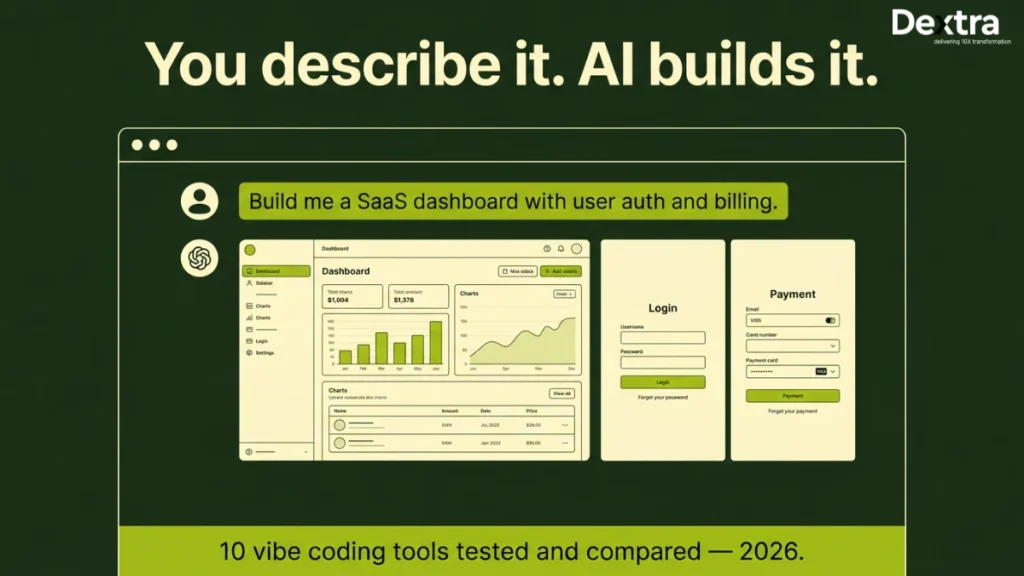
Those days are really gone when software development is just about writing code. Communicating ideas clearly and allowing AI to handle much of the execution is becoming increasingly important. The term ‘vibe coding‘ was coined by AI researcher Andrej Karpathy in early 2025.
With the rise of the best vibe coding tools, developers and even non-developers can move from idea to working product much faster than before. Instead of manually building every feature line by line, you can now:
- Describe functionality in plain language
- Generate working code almost instantly
- Iterate and improve much faster with AI assistance
Vibe coding allows users to guide an AI agent to generate, refine and debug applications through a conversational process. The market for AI coding tools is projected to generate $187 billion by 2030, indicating significant growth potential. Vibe coding tools often require users to refine and review the generated code to ensure quality and functionality, as AI-generated code can have limitations.
This shift is not just about speed. It is changing who can build software and how teams approach development. Vibe coding tools are evolving rapidly, with many users reporting that they can build functional prototypes in hours rather than days.
For example:
- Startups can validate ideas in days instead of weeks
- Enterprises can streamline workflows and reduce repetitive development tasks
- Building is possible without sophisticated programming skills.
However, the promise of ‘anyone can build apps’ remains aspirational for true beginners, as many platforms still assume foundational technical knowledge.
This means less time spent on setup, debugging and tool switching and more time on problem-solving and ideation. Many of the new generation platforms are AI built, with native AI capabilities enhancing productivity and user experience. In these environments, AI handles much of the coding, debugging and refinement, streamlining workflows that traditionally required extensive technical expertise. The most autonomous approaches are described as pure vibe coding, where AI generates and manages code with minimal human oversight.
According to McKinsey & Company and industry developer surveys, AI coding tools can save engineers roughly 5-8 hours per week by reducing context switching and accelerating development workflows.
That said, choosing the best tool for vibe coding is not always straightforward.
It depends on:
- Your experience level
- The complexity of your project
- Your budget and long-term scalability needs
Today at Dextralabs, we break down the top vibe coding tools, including both paid platforms and free vibe coding tools, so you can understand which option fits your workflow and how to get the most out of it.
Benefits of Vibe Coding
Vibe coding is transforming the way both professional developers and non-technical users approach software development. By leveraging a modern vibe coding tool, you can move from idea to working product faster than ever, whether you’re building web apps, internal tools, or native mobile apps.
One of the standout benefits of vibe coding is rapid prototyping. With AI tools that generate code from natural language prompts, you can simply describe your desired outcome and see your app take shape in real time. This means you spend less time worrying about the actual code and more time focusing on what your app should do. For professional developers, this accelerates the development cycle and allows for quick iteration, while non-developers can create software without needing to master complex programming languages.
AI pair programmers like Claude Code further enhance the coding experience by offering real-time suggestions, debugging help and architectural guidance. This not only improves code quality but also helps experienced developers build apps more efficiently. For those new to app development, features like visual editors make it easy to design and build apps using plain language, lowering the barrier to entry for non-technical users and non-technical founders.
Vibe coding tools are also designed with accessibility in mind. Many platforms offer a free plan or free tier, allowing users to experiment and build web apps or mobile apps without upfront costs. Pricing models based on API costs or AI credits provide flexibility, so you only pay for what you use. This makes vibe coding a cost-effective solution for startups, solo founders and teams looking to manage budgets while still accessing powerful AI-assisted development.
Another key advantage is the ability to maintain high output quality. Tools like Kilo Code offer more control for those who want to fine-tune their code, while others streamline the process for faster results. However, it’s important to consider potential security vulnerabilities and ensure the vibe coding tool you choose aligns with your project’s requirements for code quality and compliance.
In summary, vibe coding empowers anyone, from experienced developers to non-coders, to build apps quickly, efficiently and with fewer technical hurdles. By using AI tools, visual editors and natural language prompts, you can bring your ideas to life, test new concepts and scale your app development with ease. Whether you’re looking for more control, a flexible pricing model, or simply a way to generate code without writing it line by line, vibe coding tools offer accessible options for every stage of your software journey.
Top 10 Vibe Coding Tools in 2026: Quick Comparison Chart
Take a look at top vibe coding tools in 2026:
| Tool | Best For | Pricing | Strength | Limitation |
| Cursor | Developers | Paid plans start at… | Deep code context, live preview, existing projects | Learning curve |
| Replit | Beginners | Freemium, paid plans start at… | Easy setup, cloud based development environment | Limited scale |
| Bolt.new | Prototyping | Free | Fast output | Low flexibility |
| Lovable | Startups | Paid plans start at… | Full-stack applications, visual editor | Less control |
| Devin | Advanced users | Premium | Autonomous AI | Still evolving |
| Windsurf | Teams | Paid plans start at… | Collaboration | Setup overhead |
| Claude Code | Workflows | Paid plans start at… | Strong reasoning | Less deterministic |
| v0 by Vercel | UI | Free/Paid, paid plans start at… | Fast frontend, landing pages | No backend |
| Taskade | Workflows | Freemium, paid plans start at… | Automation | Not dev-focused |
Note: Other tools such as Cursor and Windsurf are often compared for their coding assistance, automation and project management features.
1. Cursor: Best Overall Vibe Coding Tool for Developers

Cursor is widely recognized as one of the best vibe coding tools for developers who want a strong balance between AI assistance and full control over their codebase. Cursor integrates seamlessly with existing projects, allowing developers to enhance and refactor ongoing work. It also offers a live preview feature for real-time visualization of changes as you code. Cursor integrates with VS Code, making it accessible to a wide range of developers.
What sets Cursor apart from many other vibe-coding AI tools is its ability to understand your entire project context through its AI agent capabilities, not just isolated snippets. Cursor’s AI pair programmer assists developers in real-time, providing intelligent code suggestions and code generation powered by advanced AI models. This makes it particularly useful for developers working on complex applications. Cursor is adopted by 7 million developers and Fortune 1000 companies.
With Cursor, you can
- Refactor code across multiple files without breaking dependencies
- Get intelligent suggestions for improving architecture and structure
- Debug issues with deeper context rather than generic fixes
In real-world scenarios, such an approach significantly reduces time spent navigating large codebases or tracking down bugs manually. It is ideal for scaling SaaS products, backend systems, or complex applications where structure and maintainability matter
2. Replit: Best Tool for Vibe Coding for Beginners

Replit is one of the best vibe coding tools for beginners, offering a cloud based development environment accessible from any browser. Unlike traditional development environments, Replit is an AI built platform with native AI features for app creation, removing almost all technical barriers to getting started. Its integrated AI agent can autonomously handle coding and deployment tasks and AI handles much of the coding process, reducing manual effort and enabling more conversational development. Replit’s Agent 3 can work autonomously for up to 200 minutes, handling tasks like writing code and deploying applications. The platform is also known for building functional applications with navigation and data persistence. With live preview, users get instant feedback as they refine their apps, making the workflow interactive and efficient. There is no need for installation, configuration, or environment setup. This allows you to:
- Generate and run apps instantly
- Test ideas without worrying about setup issues
- Learn coding concepts interactively with real-time feedback
Because of this simplicity, Replit is often recommended among vibe coding free tools, especially for students and early-stage builders. It is best for beginners, hobby projects and quick experimentation.
3. Bolt.new: Best Free Vibe Coding Tool for Prototyping

Bolt.new is one of the most efficient free vibe coding tools for turning ideas into working prototypes quickly. Its main strength is speed. You can go from a rough idea to a functional app in seconds, which makes it ideal for validation rather than full-scale development. Bolt.new enables instant deployment of prototypes directly from the development environment, allowing you to launch your app with minimal setup.
Bolt.new uses code generation from an initial prompt, so you simply describe your app idea in natural language and the AI generates most of the code with minimal human input, an approach that exemplifies pure vibe coding. While this AI generated code is great for rapid prototyping, it’s important to review the output for quality and security before using it in production.
With Bolt.new, you can:
- Build simple applications almost instantly
- Test MVP ideas before investing time in development
- Iterate rapidly without worrying about infrastructure
Bolt’s pricing is based on token usage, which can become expensive for iterative development since it rewrites entire files even for minor changes.
Communities and forums frequently mention it as one of the best tools for vibe coding, particularly for early-stage projects. It is perfect for idea validation, hackathons and quick demos
4. Lovable: Best Vibe Coding App Builder for Startups

Lovable stands out as a best vibe coding app builder because it leverages advanced AI models to generate complete, production-ready full stack applications, including frontend, backend and database schema, from a single prompt. Its intuitive visual editor, consistently ranked among the most accessible for beginners, allows users to design and tweak layouts with ease, making app creation approachable even for those new to coding.
Key features include:
- Frontend interfaces
- Backend logic
- Database integrations
- Live preview for real-time feedback as you build
- Multi-modal input options (type prompts, upload designs, or use voice commands)
Lovable is especially suited for quickly building landing pages, demo sites and full-stack applications. Its aesthetically pleasing user interface and beginner-friendly development experience make it a top choice for startups and innovators. The Pro plan is priced at $25/month, offering 100 monthly credits plus rollovers, making rapid development accessible and affordable. By automating setup activities and creating a viable foundation, Lovable may often cut development time. Startups producing MVPs or early-stage products benefit most.
5. Devin: Best AI for Vibe Coding Automation

Devin is often described as one of the best AI for vibe coding, as it goes beyond assistance and moves toward automation. As an advanced AI agent, Devin leverages sophisticated AI models to handle complex workflows, including code generation and automation. Instead of just helping you write codes, Devin can:
- Plan development tasks independently
- Execute changes across projects
- Iterate and improve outputs over time
With Devin, AI handles multi-step development tasks, significantly reducing manual intervention and streamlining the entire process. This reflects the evolution of AI assistants, which now efficiently manage multi-step tasks that previously required extensive technical expertise. However, since this technology is still evolving, it is best used with oversight rather than full reliance. It is advanced teams exploring automation and AI-driven development.
Also Read: Claude Code vs Cursor vs Windsurf: The Definitive Agentic Coding Comparison (2026)
6. Windsurf: Best for Team-Based Vibe Coding

workflows. Unlike individual-focused tools, Windsurf enables shared context across team members, which improves consistency and coordination. It helps teams:
- Maintain aligned workflows across projects, including seamless integration with existing projects for easier modification and enhancement
- Share AI-generated insights and suggestions
- Collaborate more efficiently without losing context, with features comparable to other tools like Cursor in terms of real-time collaboration and project management
Windsurf’s paid plans start at $15 per user/month, with the base paid tier capping requests at 500 per month, a limit that professional developers may reach quickly.
It is ideal for teams working on shared codebases or distributed development environments.
7. Claude Code: Best for AI Workflow Integration

Claude Code is one of the most powerful vibe coding AI tools when it comes to handling structured workflows and complex reasoning tasks. It operates primarily in the command line, which may lack visual feedback for debugging and understanding longer operations. Claude Code features an AI agent that can manage structured workflows, automate tasks and assist with step-by-step planning. However, it’s important to review any ai generated code for quality and security before deploying, as unoptimized code may introduce vulnerabilities.
It excels in situations where development involves multiple steps, dependencies, or decision-making processes. With Claude Code, you can:
- Plan complex systems step-by-step.
- Break down large problems into manageable components
- Automate repetitive development workflows
It is best for logic-heavy applications and workflow-driven development
Also Read: Best Claude Code Alternatives for Modern Developers
8. v0 by Vercel: Best for Frontend Development

v0 is one of the best tools for vibe coding when your focus is on frontend development and UI generation. It leverages Tailwind CSS for building responsive, production-ready interfaces and enables developers to quickly generate landing pages for demos or product showcases. With its live preview feature, you can see real-time UI updates as you refine your design. v0 also offers instant deployment, allowing you to launch full-stack apps with minimal setup. Additionally, v0 is designed for generating high-quality React components with a focus on security. This helps:
- Speed up frontend development
- Maintain design consistency
- Quickly prototype user interfaces
It is best for frontend developers, designers and UI-heavy applications.
9. Taskad: Best for AI Workflow Automation

Taskade is slightly different from traditional vibe coding platforms, but it plays an important role in the ecosystem. It combines productivity tools with AI, enabling teams to manage and automate workflows alongside development tasks. Taskade’s focus on automation in workflows helps reduce cognitive load for teams. Its built-in AI agent can understand project context, manage and automate tasks and enable natural language interaction for workflow management. Compared to other tools like Cursor and Windsurf, Taskade stands out for its seamless workflow automation and AI-driven task management.
With Taskade, you can:
- Organize tasks and projects
- Automate repetitive processes
- Integrate AI into daily workflows
It is best for managing AI-driven workflows and team coordination
10. Codeium: Best Free AI for Vibe Coding

Codeium is one of the best free AI for vibe coding, offering strong capabilities without requiring a paid subscription. It integrates directly into popular IDEs, including seamless workflow integration with VS Code and supports multiple programming languages, making it a practical choice for everyday development. Key features include the following:
- Code suggestions and auto-completion
- Multi-language support
- Seamless IDE integration
- AI pair programmer features for real-time coding assistance within editors like VS Code
- Advanced AI models powering code generation from natural language prompts
Codeium’s code generation capabilities enable rapid development and high-quality output, making it a standout tool for developers seeking efficient, AI-driven workflows.
While it may not have advanced automation features, it delivers excellent value as a free vibe coding tool. It is best for developers looking for cost-effective AI coding assistance.
How Can You Decide the Best Vibe Coding Tool in 2026?
With so many possibilities, picking the best tool for vibe coding might be difficult. Many developers prefer tools that integrate seamlessly with their existing workflows, especially those that work well within terminal-based environments. When comparing options, it’s important to look at other tools like Cursor and Windsurf, which offer different features and usability experiences. Feature completeness varies widely among AI coding tools, some platforms deliver more robust functionality than others, which can make a real difference when working on real projects with large codebases or tight deadlines. The skills gap still exists, as many platforms assume foundational technical knowledge, so consider your team’s experience level. Rather than seeking a universal solution, customize the tool to suit your specific requirements.
1. Based on Skill Level
Choose the right tool based on your experience.
- Beginners: Replit and Bolt are perfect for beginners. These platforms often include AI pair programmer features, providing guided learning and real-time assistance directly in the editor. This helps new users understand coding concepts while building confidence.
- Intermediate users: Lovable and v0 are flexible and manageable. At this level, AI handles much of the coding process, such as code generation, debugging and refinement, allowing users to focus more on app creation and less on manual programming.
- Advanced developers: Cursor and Devin are for advanced developers who customize, automate and scale. These tools integrate seamlessly with professional workflows and support complex app creation projects.
When learning to code, start basic. More complex technologies might be overwhelming without a solid foundation.
2. Based on Use Case
Different tools are designed for different stages of development.
- Prototyping and idea validation: Bolt.new helps you move quickly from idea to demo, making it ideal for generating landing pages and rapid prototypes. Many of these tools allow you to describe your app idea in an initial prompt, which kickstarts the AI-driven code generation process.
- Building full applications: Lovable supports full-stack development workflows, enabling the creation of complete software solutions, including frontend, backend, database and deployment, from a single platform. These tools often support integration with external APIs, allowing you to add location services or other third-party functionalities as needed.
- Scaling and maintaining systems: Cursor is better suited for complex, production-level projects
Understanding your goal can save you time and prevent unnecessary tool switching later
3. Based on Budget
Budget is another practical factor when choosing among the top vibe coding tools.
- Free options: Codeium, Bolt.new and Replit are great for experimentation and small projects
- Paid tools: Many platforms offer paid plans with advanced features. Cursor, for example, uses a token-based pricing model and recently introduced unlimited auto mode for daily workflows. Lovable’s paid plans start at $25/month for the Pro plan, which includes 100 monthly credits plus rollovers for rapid development. Hostinger Horizons paid plans start at $9.99/month for the Explorer tier, allowing you to build one website or app with 30 credits per month. HeyBoss offers a free plan with limited features, while paid plans start at $29.99/month, focusing on business infrastructure rather than just coding. Many of these tools are AI built, with higher tiers unlocking intelligent code reasoning, visual editing and seamless mode switching to boost productivity and control.
If you are working on a serious product, investing in a paid tool often provides better long-term value.
4. A Practical Approach
In reality, most developers don’t rely on just one platform.
Instead, they combine multiple vibe coding AI tools and other tools depending on the stage of their workflow. For example:
- Use Bolt.new for quick prototyping and fast code generation
- Switch to Lovable for building the product
- Use Cursor or Windsurf for scaling, automation and maintaining the codebase
This hybrid approach, which leverages code generation and automation, is especially effective when applied to real projects. It helps you get the best out of each tool instead of being limited by one.
Conclusion
The best vibe coding tools are fundamentally changing how software is built. What once required extensive coding knowledge and long development cycles can now be done faster and more efficiently with AI assistance, making a real difference in critical development scenarios such as managing large codebases, meeting tight deadlines and delivering under high-stakes conditions.
These tools are helping developers and teams:
- Reduce time to build and launch products
- Decrease non-developer technical hurdles
- Reduce tool and process context swapping
Pure vibe coding is emerging as a highly autonomous, AI-driven approach for rapid prototyping, where the AI generates and manages code with minimal human oversight. However, it’s important to note that ai generated code should always be reviewed for quality and security before deploying to production, as unoptimized AI-created code can introduce vulnerabilities.
Meanwhile, they raise new critical considerations.
For instance:
- You have how much control over the resulting code?
- Can the tool scale with your project?
- Integrating workflow Will it work with your tools and processes?
The best advantage will come from using the correct combination of technologies at the right moment as the ecosystem evolves. The measurable impact of vibe coding techniques is already being seen in software development and entrepreneurship, despite some skepticism about their effectiveness.
With this mindset, developers and teams can:
Developers and teams that adopt this mindset are able to:
- Build faster
- Experiment more freely
- Adapt quickly to changing requirements
Looking ahead, the future of AI coding tools will likely focus on improving user experience and feature completeness, as current offerings vary widely in these areas.
In the long run, vibe coding tools are not just about convenience. They represent a shift toward a more intuitive, AI-driven way of building software, where ideas can move from concept to reality with far less friction.
Frequently Asked Questions (FAQs):
Q. Which coding platforms offer the best user experience?
Cursor and Replit are widely considered the top vibe coding tools for usability, offering intuitive interfaces, fast performance and smooth workflows that improve productivity for both beginners and experienced developers. Tools with a visual editor and live preview, such as Lovable and v0, provide an enhanced user experience by allowing real-time design and instant feedback during development. Additionally, cloud based development environments like Replit improve accessibility and ease of use by enabling users to work from anywhere without local setup.
Q. What are the best vibe coding tools for beginners?
Replit, Bolt.new and Codeium are among the best tools for vibe coding for beginners, as they require minimal setup, provide guided experiences and make it easy to start building quickly. Many of these platforms feature an AI pair programmer integrated within popular code editors, helping beginners learn and collaborate efficiently on projects. App creation is further simplified through the use of an initial prompt, users describe their app ideas in natural language, which kickstarts the AI-driven building process. Tools like Bolt.new and Lovable leverage this approach to streamline app creation and deployment for new developers.
Q. What are the best vibe coding tools for mobile apps?
Lovable and v0 are strong options for building mobile-ready applications, as they support the development of full-stack applications, covering frontend, backend, database and deployment, which is ideal for mobile app development. These tools leverage Tailwind CSS to create responsive, polished mobile UIs, ensuring a seamless user experience across devices. Additionally, they facilitate the integration of external APIs, enabling mobile apps to incorporate features like location services or third-party functionalities efficiently.
Q. Are there free vibe coding tools available?
Yes, several free vibe coding tools are available, including Codeium, Bolt.new and Replit. Both Codeium and Replit are AI built platforms, meaning they natively incorporate AI capabilities to enhance the coding experience. Their AI handles much of the coding process, including code generation, debugging and refinement, making them ideal for learning, experimentation and early-stage development projects.
Q. What is the best AI for vibe coding?
Devin and Cursor are among the best AI for vibe coding, acting as powerful AI agents that leverage advanced AI models to automate tasks, deeply understand code and streamline workflows for complex and large-scale development projects. These platforms can generate code and assist in design or content updates, but it’s important to manually review any AI generated code to ensure quality and security before deploying it in production environments.