
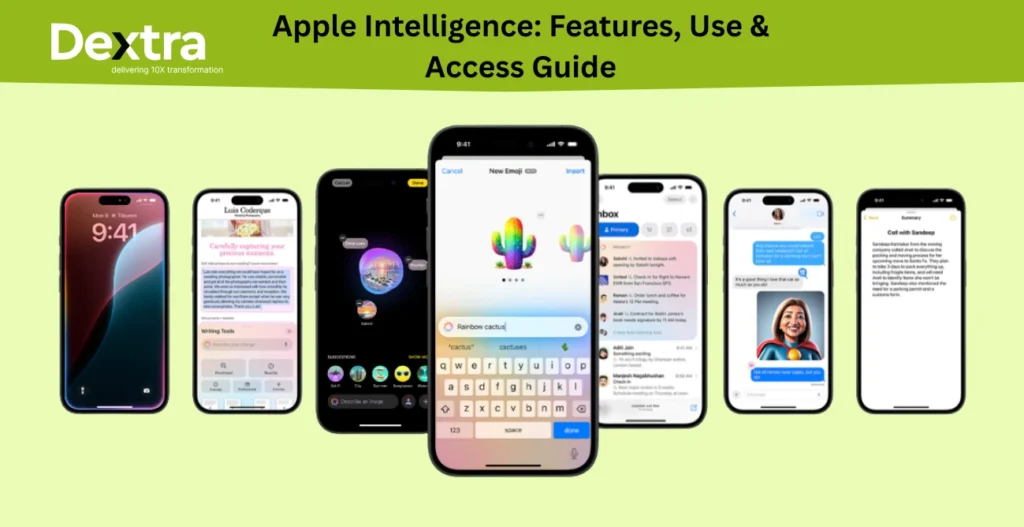
Apple Intelligence is Apple’s AI platform for making iPhone, iPad, Mac, Apple Watch, and Vision Pro more useful, personal, and context-aware.
Rather than functioning as a standalone chatbot, Apple Intelligence is integrated into the Apple devices and apps people already use. It can help rewrite and proofread text, summarize information, create images and Genmoji, search and understand content, translate conversations, analyze what’s on screen, and assist with everyday tasks. Apple is also expanding its capabilities with a new generation of Apple Intelligence and a more capable Siri AI experience in 2026.
What makes Apple’s approach distinctive is its focus on on-device processing and Private Cloud Compute. Apple says compatible requests can be processed on the device, while more demanding tasks can use server-based models through Private Cloud Compute without storing users’ private data.
But Apple Intelligence isn’t available on every Apple device, and features can vary by hardware, operating system, language, region, and rollout status. Compatible devices now extend beyond the original iPhone 15 Pro and iPhone 16 generation, with Apple listing newer iPhone, iPad, Mac, Apple Watch, and Vision Pro hardware among supported products.
So what exactly can Apple Intelligence do, which devices support it, and how do you turn it on?
In this guide, we’ll explain what Apple Intelligence is, how it works, its most useful features, supported devices and requirements, how to enable it, and what has changed as Apple’s AI platform continues to evolve in 2026.
What Is Apple Intelligence?
Apple Intelligence is Apple’s version of AI which is now a part of iPhones, iPads, Macs, and Apple Vision Pro. It will assist with writing, editing, searching, organization, and lots of other things. It all began in late 2024 with iOS 18.1, iPadOS 18.1, and macOS Sequoia 15.1, but new features will continue arriving in 2025.
What makes Apple’s AI different is that it includes privacy. Many of the features run right on your device (not on the cloud), so your information is secure. When it does need more resources, it uses Private Cloud Compute which is designed to protect your information even when it has to do something online.
Apple Intelligence Features: What Can It Do?
Here’s a look at the most useful Apple Intelligence features and how they can help you in everyday life.
1. Writing Tools
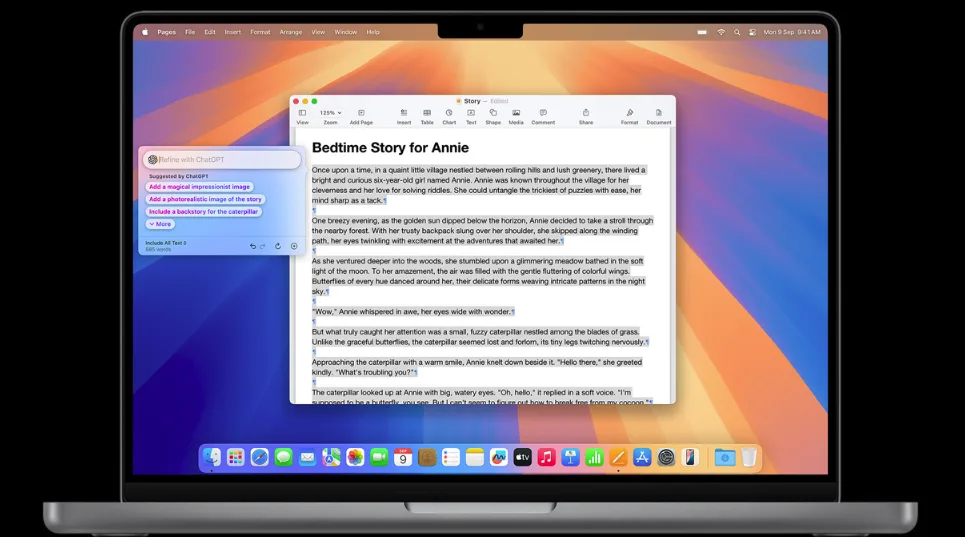
These AI tools allow you to write better, more quickly, and with fewer errors. You can:
- Rewrite your message so that it’s more friendly, formal, or concise.
- Spell-check and grammatically correct your text.
- Shorten long messages or notes to a brief paragraph, list, or table.
- You will find this feature available in Mail, Notes, Messages, Pages, and even a few apps on the App Store.
It can also help you describe how you want your text to change. For example, you can tell it to “make this more exciting” or “make this a poem“. It’s an excellent tool for work, school, and personal messages.
2. Smart Photos App

The Photos app has gotten a lot smarter due to Apple Intelligence.
- You are able to find your photos by simply stating the subject of your search, such as, “my dog in the snow” or “birthday cake with candles“.
- Also, use the Clean Up tool to remove unwanted people or objects in the background from your photos.
- Make Memory Movies by simply typing what you want to see. Apple Intelligence will locate your best photos and videos and make them into a movie with music and scenes.
3. Image Playground
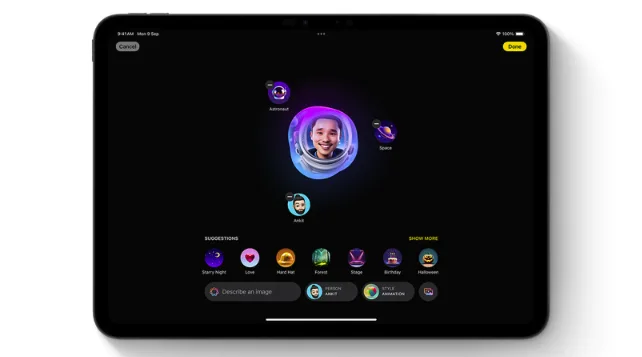
Want to make fun and unique images? With Image Playground, you can create images from your imagination. Add themes, costumes, accessories, or even convert photos of your friends into cartoons. You can select from three styles:
- Animation – resembles a 3D cartoon
- Illustration – colorful and basic
- Sketch – realistic and detailed drawing
You can find this tool in Messages, Keynote, Freeform, and others.
4. Genmoji
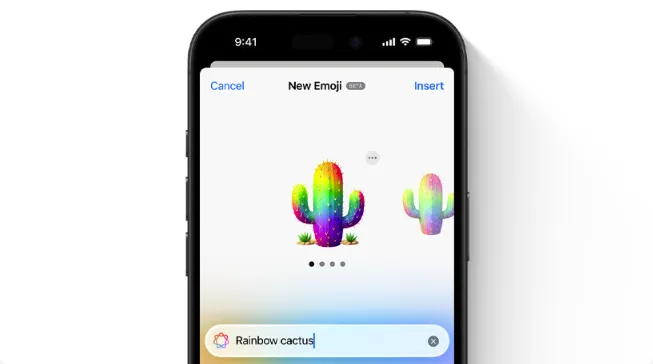
Forget old-fashioned emoji. With Genmoji, you can type in a description, and your iPhone will generate a unique emoji. You can even create one that resembles your friend or family member, and include hats, sunglasses, or special themes. They can be sent in Messages as regular emoji or as stickers.
5. Image Wand in Notes
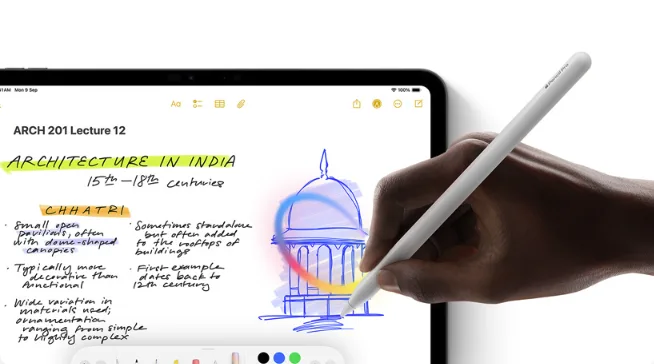
If you use the Notes app, you’ll love this new feature. Image Wand lets you turn a rough sketch into a clean image. Just draw a circle around it, and your device will use AI to figure out what you meant. You can even circle a blank space, and it will offer you an image based on the note you’re writing.
6. Smarter Mail and Messages
Apple Intelligence makes it easier to handle your messages and email:
- Priority Messages show important emails at the top of your inbox.
- Summarise helps you quickly understand long emails or group chats.
- Smart Reply gives you short reply suggestions and makes sure you answer all the questions in an email.
7. A Smarter Siri
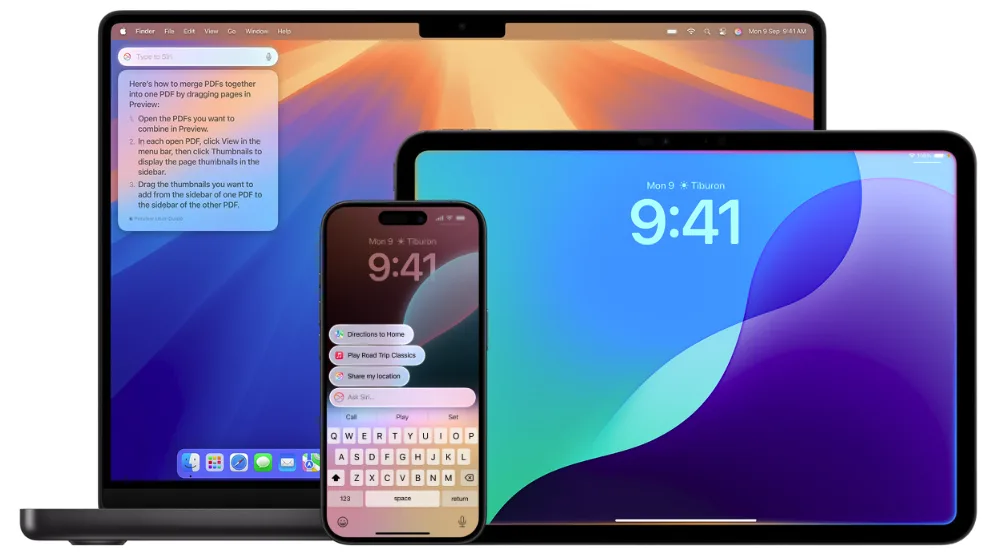
Siri just got a new and much needed update. It has a better look, sounds more natural, and gives you better answers to your questions. You can even type to Siri if you’d rather not speak.
Even better, ChatGPT is built into Siri so it can help with longer, more detailed answers, or more creative suggestions. This is also available in Writing Tools which can help generate ideas and writing.
How to Get Apple Intelligence?
Curious about how to have Apple Intelligence on your device? Easy, but you need to first make sure you have the right device and software.
Devices That Support Apple Intelligence
You’ll need one of these:
- iPhone 15 Pro, iPhone 15 Pro Max, or any iPhone 16
- iPad with A17 Pro or M1 chip or later
- Mac with M1 chip or later
- Apple Vision Pro
And you need to be running:
- iOS 18.1 or later
- iPadOS 18.1 or later
- macOS Sequoia 15.1 or later
- visionOS 2.4 or later
You’ll also require at least 7 GB of available space, and Siri language must match your device language.
How to Turn It On?
- Settings > Apple Intelligence & Siri
- Tap Turn On Apple Intelligence
If you’re updating for the first time, it may take a little while to download everything. Make sure your device is connected to Wi-Fi and plugged into power.
Final Thoughts
Apple Intelligence is Apple’s smart way of using AI to help you in daily life, whether you’re writing a message, searching photos, or designing your own emojis. The good news? It’s designed to keep your data safe and private.
And unlike other companies, Apple isn’t charging extra for the best features (at least not until 2027). So if you’ve been wondering what is Apple Intelligence, or how to use Apple Intelligence, now you’ve got the full picture.
Update your device, turn it on, and start exploring all the ways Apple Intelligence can make life just a little easier and a lot more fun.
Frequently Asked Questions (FAQs)
Q. What is Apple Intelligence?
Apple Intelligence is Apple’s integrated AI system that helps in writing, editing, searching, and creating with smart, private tools on iPhone, iPad, and Mac.
Q. How do I install Apple Intelligence on my device?
Update to iOS 18.1, iPadOS 18.1, or macOS Sequoia 15.1 or newer, then go to Settings > Apple Intelligence & Siri and switch it on.
Q. What devices support Apple Intelligence?
It is compatible with iPhone 15 Pro/Pro Max and iPhone 16, iPads A17 Pro or M1 or later, and Macs M1 or newer.
Q. Is Apple Intelligence free to use?
Yes, Apple Intelligence features are free to use, and no additional charge is planned until at least 2027.
Q. What can Apple Intelligence do?
It can help with rewriting and summarizing text, editing pictures, designing personal emojis (Genmoji), creating AI pictures, and improving Siri’s responses.